Introduction
Every AI meeting assistant faces a fundamental challenge: determining when someone is actually speaking.
During a typical meeting, audio streams contain much more than human speech. There may be silence, keyboard typing, mouse clicks, office chatter, air conditioning noise, traffic sounds, echoes, and countless other background noises. Before an AI meeting assistant can transcribe conversations, identify speakers, or generate summaries, it must first determine which parts of the audio contain speech.
This critical task is handled by Voice Activity Detection (VAD).
Voice Activity Detection is one of the foundational technologies behind modern AI meeting assistants. It enables systems to distinguish speech from non-speech audio, improving transcription accuracy, reducing processing costs, and enhancing overall meeting intelligence.
This guide explains how VAD works and why it plays such an important role in AI-powered meeting software.
What Is Voice Activity Detection?
Voice Activity Detection (VAD) is a technology that identifies whether human speech is present in an audio stream.
Its primary purpose is to answer a simple question:
“Is someone speaking right now?”
The system continuously analyzes incoming audio and classifies segments as either:
- Speech
- Non-speech
Non-speech segments may include:
- Silence
- Background noise
- Keyboard typing
- Office sounds
- Traffic noise
- Fan noise
- Echoes
- Other environmental sounds
By isolating speech from everything else, AI meeting assistants can focus their resources on processing meaningful conversations.
Why VAD Matters in AI Meeting Assistants
Voice Activity Detection sits near the beginning of the audio processing pipeline.
Without VAD, AI systems would need to analyze every sound continuously.
This would create several problems:
Increased Processing Costs
Speech recognition models would waste resources processing silence and noise.
Lower Accuracy
Background sounds could be mistaken for speech.
Poor User Experience
Transcripts would contain unnecessary artifacts and errors.
Reduced AI Performance
Meeting summaries and analytics would become less reliable.
VAD acts as a filter that ensures only relevant audio reaches downstream AI systems.
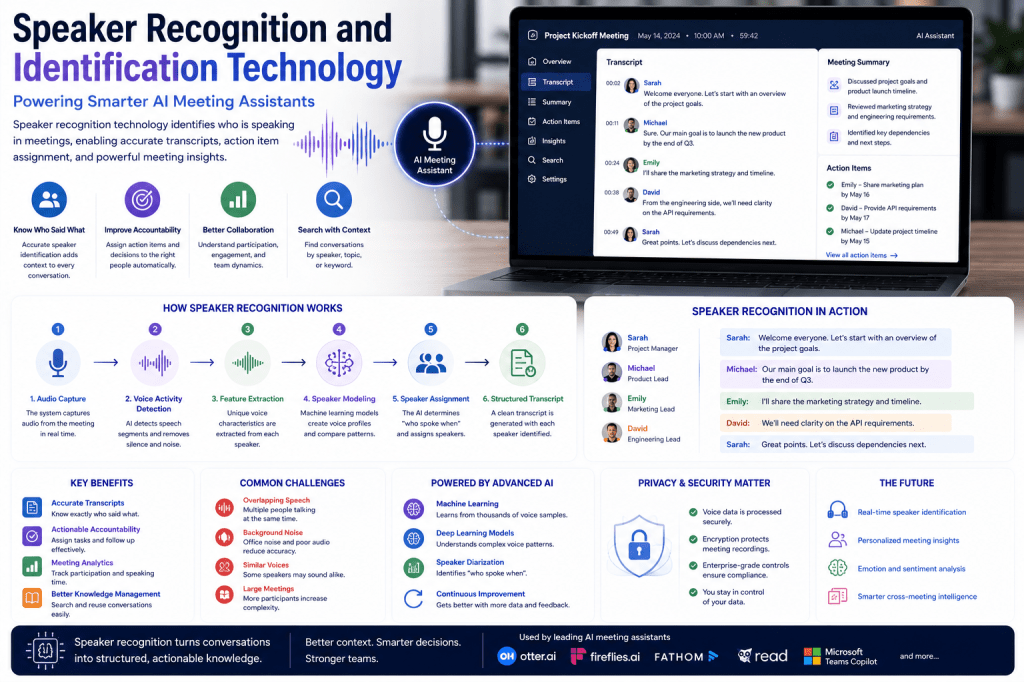
The Role of VAD in the Meeting Workflow
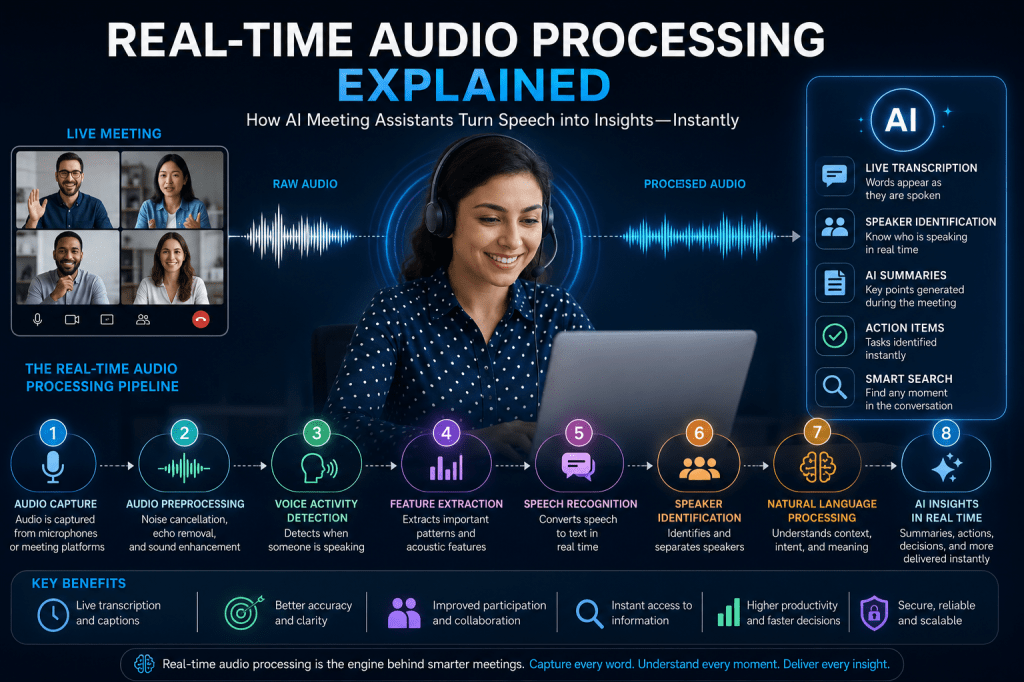
A simplified AI meeting assistant workflow looks like this:
- Audio Capture
- Noise Cancellation
- Voice Activity Detection
- Speech Recognition
- Speaker Identification
- Natural Language Processing
- Meeting Intelligence
- Summary Generation
Voice Activity Detection serves as the gateway between raw audio and speech processing.
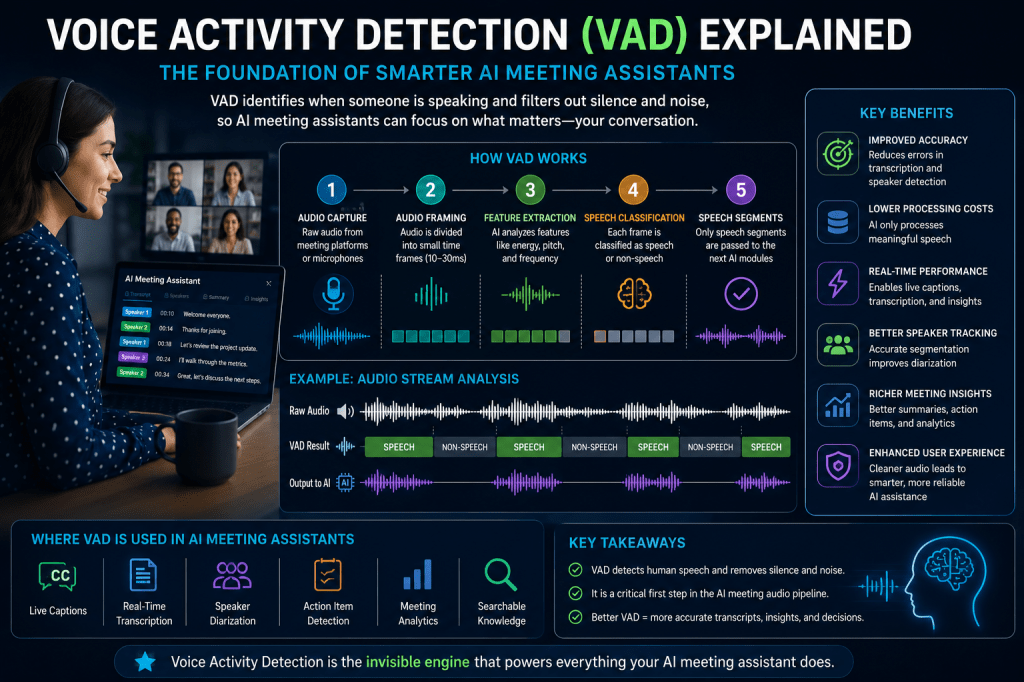
How Voice Activity Detection Works
Modern VAD systems use a combination of audio analysis and machine learning.
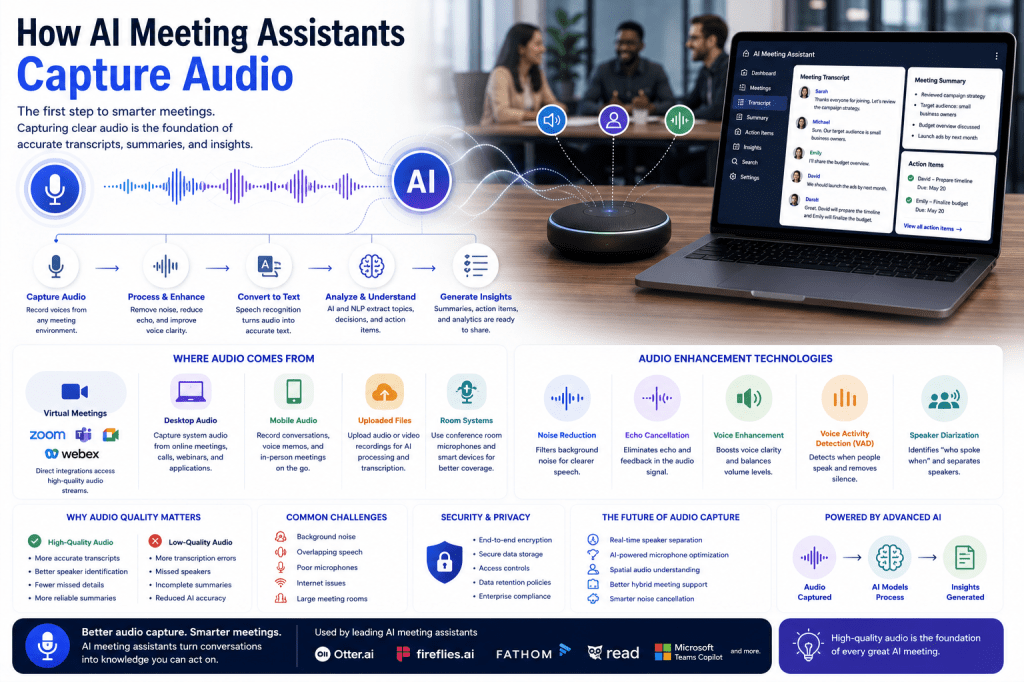
Step 1: Audio Capture
The system receives audio from:
- Meeting platforms
- Microphones
- Headsets
- Conference room devices
- Uploaded recordings
The audio contains both speech and non-speech sounds.
Step 2: Signal Analysis
The audio stream is divided into small frames.
Typically:
- 10 milliseconds
- 20 milliseconds
- 30 milliseconds
Each frame is analyzed individually.
The system measures characteristics such as:
- Volume
- Frequency
- Energy levels
- Spectral patterns
These measurements help determine whether speech is present.
Step 3: Feature Extraction
The AI extracts useful audio features.
Common features include:
Energy Levels
Speech generally contains higher energy than silence.
Zero-Crossing Rate
Measures how often audio signals change polarity.
Speech and noise often have different patterns.
Spectral Features
Frequency distributions unique to human speech.
Mel-Frequency Cepstral Coefficients (MFCCs)
Widely used speech-processing features that capture vocal characteristics.
These features become inputs for machine learning models.
Step 4: Speech Classification
The VAD model classifies each frame as:
Speech
Human voice detected.
Non-Speech
No human voice detected.
The system performs this classification continuously throughout the meeting.
Traditional VAD Approaches
Earlier VAD systems relied on simple rules.
Energy-Based Detection
If audio volume exceeded a threshold, speech was assumed.
Advantages:
- Fast
- Lightweight
Disadvantages:
- Easily fooled by noise
- Limited accuracy
Frequency-Based Detection
Looked for frequency ranges associated with human speech.
Advantages:
- Better than simple volume thresholds
Disadvantages:
- Struggled in noisy environments
These methods remain useful but are increasingly supplemented by AI.
AI-Powered Voice Activity Detection
Modern meeting assistants use machine learning and deep learning.
These systems learn speech patterns from enormous datasets.
Training data includes:
- Different accents
- Multiple languages
- Various microphones
- Diverse environments
- Home offices
- Conference rooms
- Public spaces
This enables AI-based VAD systems to perform significantly better than traditional approaches.
Deep Learning and VAD
Modern Voice Activity Detection often uses neural networks.
Convolutional Neural Networks (CNNs)
Analyze audio patterns and frequency structures.
Recurrent Neural Networks (RNNs)
Track speech sequences over time.
Transformer Models
Capture complex relationships within audio streams.
Hybrid Architectures
Combine multiple techniques for improved performance.
These systems can distinguish speech from noise with remarkable accuracy.
VAD and Noise Cancellation
Voice Activity Detection works closely with noise cancellation systems.
Noise Cancellation
Removes unwanted sounds.
VAD
Determines whether speech exists after cleanup.
Together they create a cleaner and more accurate audio stream for transcription.
This relationship is critical in noisy environments.
VAD and Speech Recognition
Speech recognition systems depend heavily on VAD.
Without VAD:
- Silence would be transcribed
- Noise could trigger false recognition
- Processing costs would increase
With VAD:
- Only speech reaches transcription engines
- Recognition accuracy improves
- System performance increases
VAD effectively serves as the front door to speech recognition.
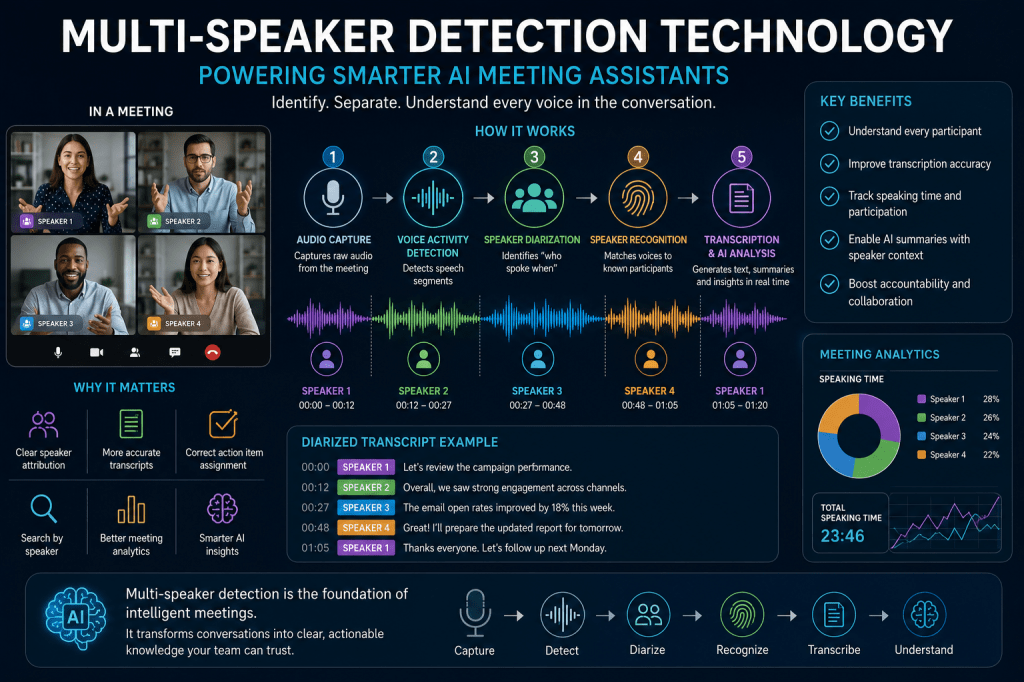
VAD and Speaker Diarization
Speaker diarization answers:
“Who spoke when?”
Before diarization can occur, the system must first know:
“Was anyone speaking?”
VAD provides the speech segments that diarization systems analyze.
Without accurate VAD, speaker tracking becomes far more difficult.
Real-Time Voice Activity Detection
Most AI meeting assistants perform VAD in real time.
Benefits include:
Live Transcription
Words appear immediately as speakers talk.
Live Captions
Accessibility support becomes possible.
Instant Meeting Analytics
Participation tracking begins immediately.
Faster AI Processing
Only relevant audio is analyzed.
Real-time VAD is essential for modern meeting experiences.
Challenges in Voice Activity Detection
Although VAD technology has improved dramatically, challenges remain.
Background Noise
Loud environments can confuse detection models.
Overlapping Speech
Multiple speakers talking simultaneously increases complexity.
Quiet Speakers
Low-volume voices may be difficult to detect.
Accents and Languages
Global teams introduce variability.
Poor Microphones
Audio quality directly impacts detection accuracy.
Modern AI models continue to improve in all these areas.
Benefits of VAD in AI Meeting Assistants
Organizations gain significant advantages.
Better Transcription Accuracy
Speech recognition receives cleaner input.
Reduced Processing Costs
Only meaningful audio is analyzed.
Improved Meeting Summaries
AI works from higher-quality transcripts.
Better Speaker Tracking
Speech segments become easier to assign.
Faster Processing
Real-time features operate more efficiently.
Enhanced User Experience
Meetings become more reliable and productive.
Voice Activity Detection and Meeting Analytics
Many AI meeting assistants provide analytics such as:
- Speaking time
- Participation levels
- Speaker engagement
- Conversation balance
These insights depend on accurate speech detection.
VAD forms the foundation for many meeting intelligence features.
Future of Voice Activity Detection
Several innovations are expected to shape the future.
Personalized Voice Models
Systems learn the voices of regular participants.
Context-Aware Detection
AI understands meeting environments.
Better Overlap Detection
Improved handling of simultaneous speakers.
Edge-Based Processing
Lower latency and greater privacy.
Multimodal Analysis
Combining audio, video, and contextual information.
These developments will make AI meeting assistants even more accurate and responsive.
Conclusion
Voice Activity Detection is one of the most important technologies powering modern AI meeting assistants. By identifying when speech is present and filtering out silence and background noise, VAD enables accurate transcription, speaker identification, meeting analytics, and AI-generated insights.
Although often invisible to users, VAD sits at the heart of the audio processing pipeline. It improves efficiency, reduces errors, and ensures that AI systems focus on what matters most—the conversation itself.
As AI meeting assistants continue to evolve, Voice Activity Detection will remain a foundational technology that supports smarter, faster, and more reliable meeting intelligence.


 Meeting Notes AI