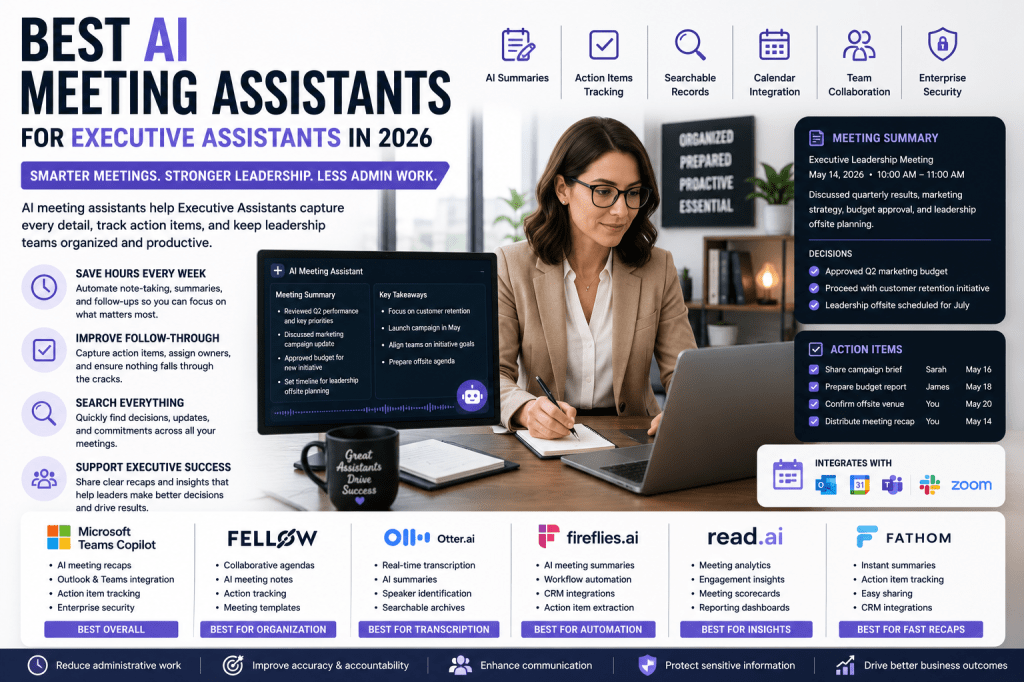
Executive Assistants are often the organizational backbone of leadership teams. They coordinate meetings, manage schedules, prepare agendas, document discussions, track action items, and ensure follow-up tasks are completed. With executives participating in numerous meetings each week, keeping accurate records and managing post-meeting workflows can be a significant challenge. AI meeting assistants help Executive Assistants automate note-taking, generate summaries, capture action items, and streamline communication across teams.
In this guide, we’ll explore the best AI meeting assistants for Executive Assistants in 2026 and identify the tools that can help improve productivity, organization, and executive support.
Why Executive Assistants Need AI Meeting Assistants
Executive Assistants manage a constant flow of information and responsibilities.
Common challenges include:
- Tracking executive action items
- Capturing meeting decisions
- Coordinating follow-up tasks
- Managing executive communications
- Preparing meeting recaps
- Supporting leadership teams across multiple departments
AI meeting assistants help reduce administrative work while improving visibility into important discussions and commitments.
What Executive Assistants Should Look For
Accurate Meeting Summaries
Executive Assistants often need concise summaries that highlight:
- Key decisions
- Action items
- Strategic discussions
- Follow-up requirements
- Ownership assignments
Calendar and Productivity Integrations
Look for tools that integrate with:
- Microsoft Outlook
- Google Calendar
- Microsoft Teams
- Zoom
- Slack
- Project management platforms
Action Item Tracking
The best solutions can:
- Identify tasks automatically
- Assign owners
- Track follow-ups
- Generate meeting recaps
Searchable Knowledge Archives
Executive Assistants frequently revisit past discussions and decisions.
Searchable records help quickly locate:
- Meeting outcomes
- Executive commitments
- Project updates
- Stakeholder discussions
Best AI Meeting Assistants for Executive Assistants
1. Microsoft Teams Copilot
Best Overall for Executive Support
Microsoft Teams Copilot is particularly valuable for Executive Assistants supporting leaders who work heavily within Microsoft 365.
Key features:
- AI-generated meeting recaps
- Automated action item tracking
- Outlook integration
- Executive summaries
- Enterprise-grade security
Pros
- Deep Microsoft integration
- Excellent executive reporting
- Strong security and compliance
Cons
- Best suited for Microsoft environments
2. Fellow
Best for Meeting Organization
Fellow excels at creating structure around executive meetings.
Key features:
- Collaborative agendas
- AI meeting notes
- Meeting templates
- Action item management
- Team collaboration
Pros
- Excellent for recurring leadership meetings
- Strong accountability features
Cons
- Less focused on advanced analytics
3. Otter.ai
Best for Accurate Transcription
Otter.ai remains one of the strongest transcription platforms available.
Key features:
- Real-time transcription
- AI summaries
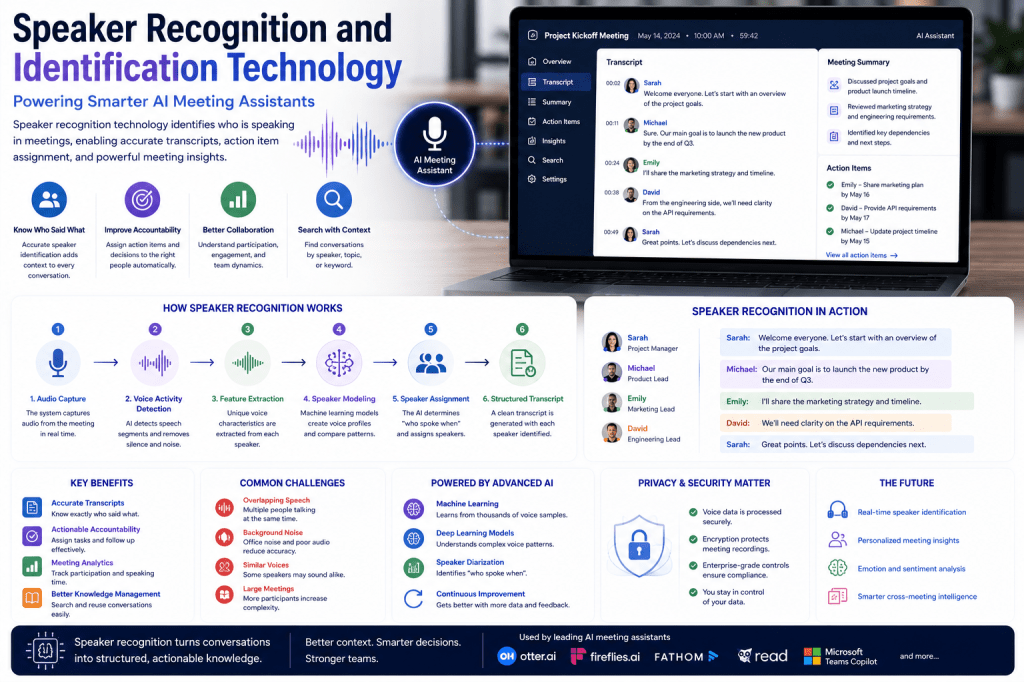
- Speaker identification
- Searchable transcripts
- Shared notes
Pros
- Highly accurate transcription
- Easy sharing and collaboration
Cons
- Some premium features require higher-tier plans
4. Fireflies.ai
Best for Workflow Automation
Fireflies.ai helps Executive Assistants automate documentation and follow-up processes.
Key features:
- AI-generated notes
- Action item extraction
- Workflow automation
- CRM integrations
- Team collaboration
Pros
- Excellent automation capabilities
- Strong integration ecosystem
Cons
- Some setup may be required
5. Read AI
Best for Leadership Insights
Read AI provides valuable analytics and engagement data for executive meetings.
Key features:
- Meeting scorecards
- Participation analytics
- AI summaries
- Engagement insights
- Reporting dashboards
Pros
- Useful leadership analytics
- Strong reporting capabilities
Cons
- Analytics may exceed some assistants’ needs
6. Fathom
Best for Fast Executive Recaps
Fathom provides immediate summaries and actionable follow-up information.
Key features:
- Instant summaries
- Meeting highlights
- Action item tracking
- Easy sharing
- CRM integrations
Pros
- Fast and simple
- High-quality summaries
Cons
- Less enterprise-focused
Comparison Table
| Tool | Best For | Executive Summaries | Automation | Integrations |
|---|---|---|---|---|
| Microsoft Teams Copilot | Overall Executive Support | Excellent | Excellent | Excellent |
| Fellow | Meeting Organization | Excellent | Good | Good |
| Otter.ai | Transcription | Very Good | Good | Strong |
| Fireflies.ai | Workflow Automation | Excellent | Excellent | Excellent |
| Read AI | Leadership Analytics | Excellent | Good | Strong |
| Fathom | Quick Recaps | Very Good | Good | Strong |
Benefits of AI Meeting Assistants for Executive Assistants
Improved Executive Productivity
Leaders spend less time reviewing notes and more time acting on decisions.
Better Follow-Through
AI-generated action items help ensure tasks are assigned and completed.
More Efficient Meeting Preparation
Searchable meeting histories make it easier to prepare agendas and briefing materials.
Enhanced Communication
Summaries can be shared quickly with executives, stakeholders, and project teams.
Reduced Administrative Work
Executive Assistants spend less time documenting meetings and more time supporting strategic initiatives.
Choosing the Right Solution
The best AI meeting assistant depends on your executive support needs:
- Choose Microsoft Teams Copilot for Microsoft 365 environments.
- Choose Fellow for meeting organization and accountability.
- Choose Otter.ai for transcription accuracy.
- Choose Fireflies.ai for workflow automation.
- Choose Read AI for leadership insights.
- Choose Fathom for quick executive recaps.
Frequently Asked Questions
Can AI meeting assistants help Executive Assistants save time?
Yes. AI meeting assistants automate note-taking, summarize meetings, and track action items, significantly reducing administrative workload.
Are meeting summaries searchable?
Most leading platforms provide searchable transcripts, summaries, and action item databases.
Can AI meeting assistants integrate with calendars?
Many solutions integrate directly with Outlook, Google Calendar, Microsoft Teams, and Zoom.
Are AI meeting assistants useful for executive leadership teams?
Absolutely. They improve visibility, accountability, and communication across leadership meetings and strategic initiatives.
Final Thoughts
Executive Assistants play a critical role in helping leadership teams stay organized and productive. AI meeting assistants can automate documentation, improve follow-up processes, and provide valuable visibility into executive discussions and decisions. By implementing the right platform, Executive Assistants can reduce administrative workload while delivering greater strategic support to their organizations.

 Meeting Notes AI