Introduction
AI meeting assistants have evolved from simple transcription tools into comprehensive meeting intelligence platforms. Today’s leading solutions can automatically join meetings, record conversations, generate transcripts, summarize discussions, extract action items, and integrate with dozens of business applications.
While every platform has its own strengths, the top AI meeting assistants share a surprisingly similar set of core capabilities.
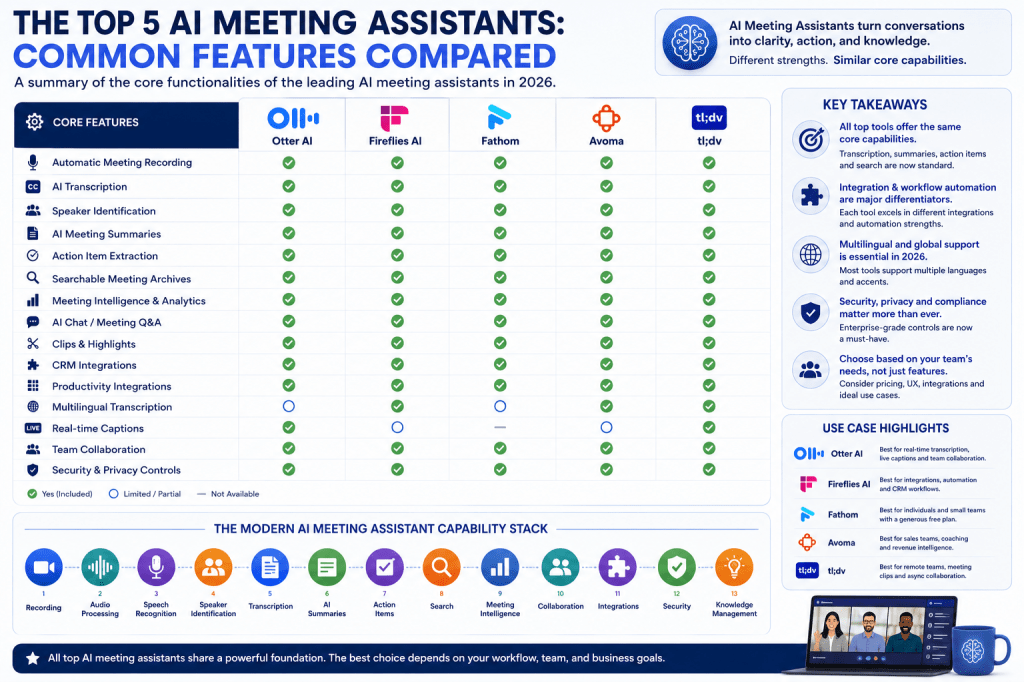
Among the most frequently recommended and widely adopted platforms in 2026 are:
These tools consistently appear in industry rankings and reviews because they provide a strong combination of transcription, meeting intelligence, workflow automation, and collaboration features.
This article focuses on the common functionality found across these leading AI meeting assistants and explains why these capabilities have become essential for modern teams.
1. Automatic Meeting Recording
One of the most fundamental features is automatic meeting recording.
Most AI meeting assistants can:
- Join scheduled meetings automatically
- Record conversations
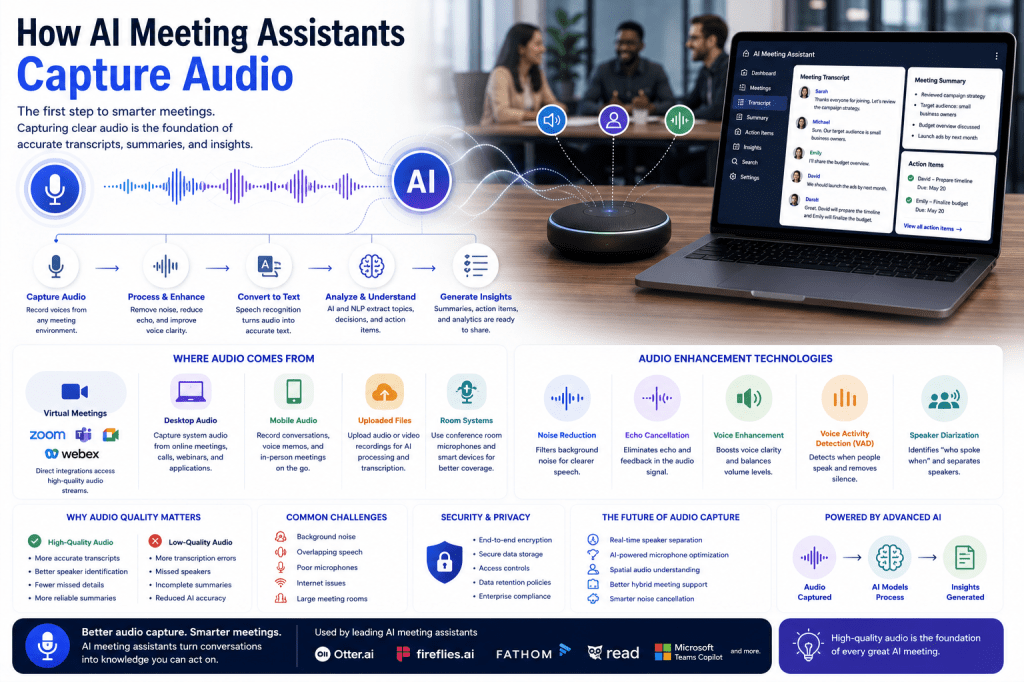
- Capture meeting audio
- Store recordings securely
- Provide playback functionality
Supported platforms commonly include:
- Zoom
- Microsoft Teams
- Google Meet
- Webex
Automatic recording ensures that important conversations are preserved for later review.
2. AI-Powered Meeting Transcription
Transcription remains the core capability of every leading meeting assistant.
The top platforms can:
- Convert speech to text
- Generate meeting transcripts automatically
- Support multiple speakers
- Create searchable records
- Process recordings quickly after meetings
Modern speech recognition systems now achieve high levels of accuracy under normal meeting conditions.
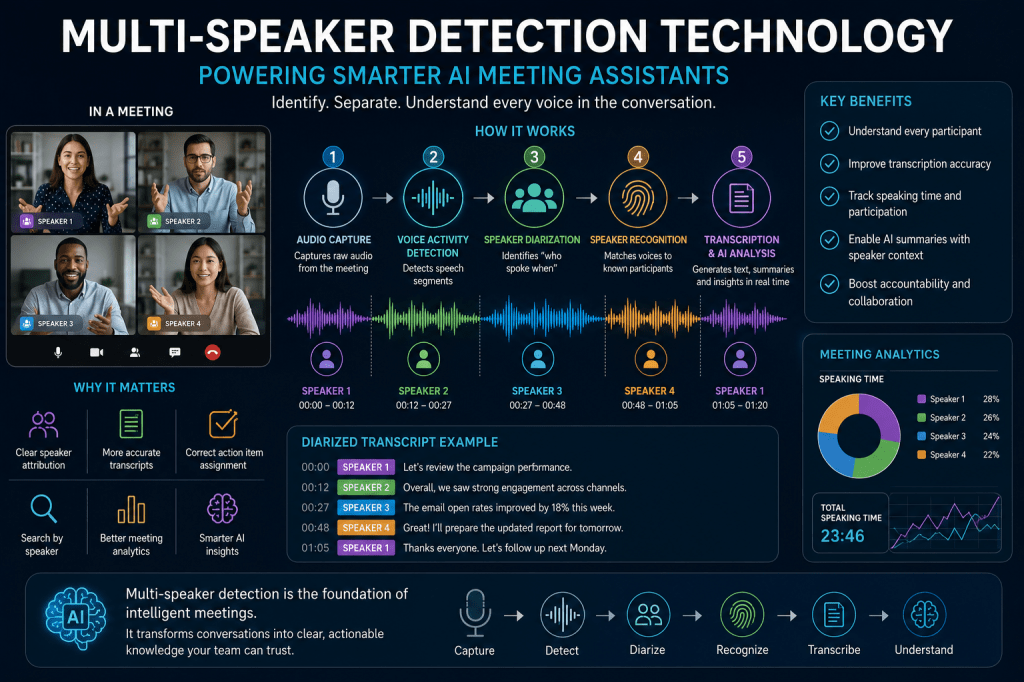
3. Speaker Identification and Diarization
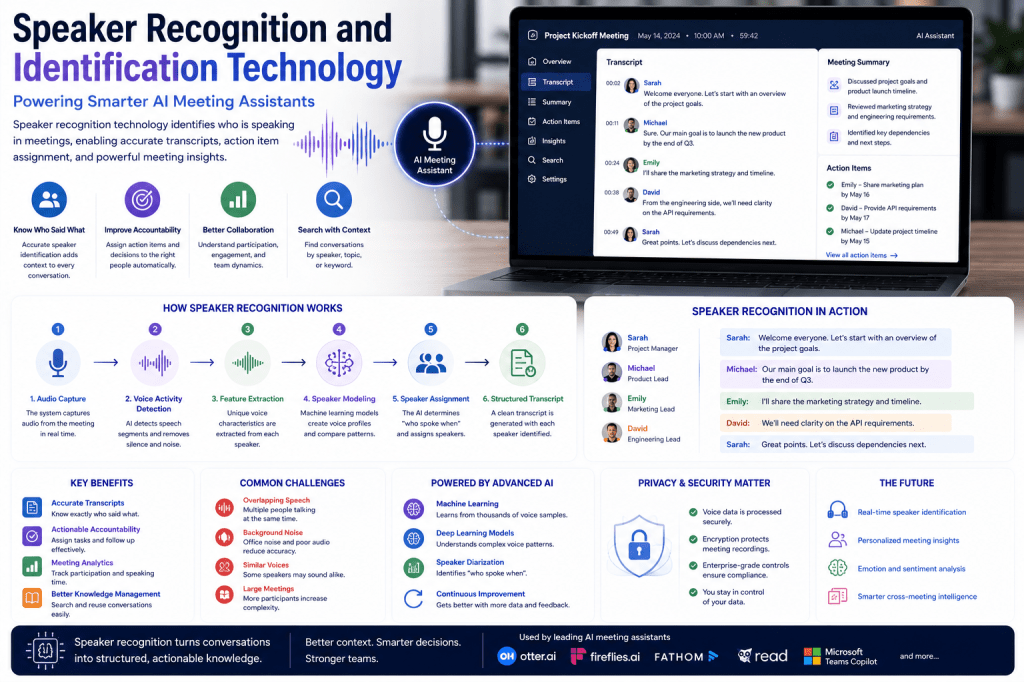
A transcript is far more useful when the system knows who said what.
Leading AI meeting assistants include:
- Speaker diarization
- Speaker tracking
- Speaker labeling
- Participant attribution
This capability helps teams understand conversations, assign accountability, and review discussions more efficiently.
4. AI Meeting Summaries
Virtually every major AI meeting assistant now generates automated meeting summaries.
Instead of reading an entire transcript, users receive:
- Executive summaries
- Key discussion points
- Main takeaways
- Meeting highlights
- Topic overviews
This feature is one of the biggest reasons organizations adopt AI meeting assistants.
5. Action Item Extraction
Modern meeting assistants do more than summarize discussions.
They automatically identify:
- Tasks
- Commitments
- Follow-up actions
- Deadlines
- Responsibilities
Examples include:
- “Ben will send the proposal.”
- “Marketing will update the campaign.”
- “Schedule a follow-up meeting next week.”
Automatic task extraction helps teams turn conversations into action.
6. Searchable Meeting Archives
All leading platforms provide searchable meeting repositories.
Users can search across:
- Transcripts
- Recordings
- Summaries
- Topics
- Participants
Instead of manually reviewing old meetings, users can locate information in seconds.
This feature becomes increasingly valuable as organizations accumulate hundreds or thousands of meetings.
7. Meeting Intelligence
The newest generation of AI meeting assistants goes beyond note-taking.
They provide meeting intelligence features such as:
- Topic detection
- Decision tracking
- Participation analysis
- Conversation analytics
- Engagement insights
Meeting intelligence transforms meetings into structured business knowledge.
8. AI Chat and Meeting Q&A
Many platforms now allow users to interact with meetings using natural language.
Examples include:
- “What did the customer say about pricing?”
- “What decisions were made?”
- “Show all action items from last month.”
This conversational search capability is rapidly becoming a standard feature.
9. Meeting Clips and Highlights
Top meeting assistants allow users to create shareable clips from recordings.
Benefits include:
- Sharing important moments
- Team collaboration
- Training purposes
- Customer call reviews
- Executive briefings
Short clips are often easier to consume than full recordings.
10. CRM Integration
Many organizations use AI meeting assistants alongside sales and customer success platforms.
Common integrations include:
- Salesforce
- HubSpot
- Pipedrive
- Zoho CRM
Meeting notes and action items can automatically sync to customer records. Fireflies and Avoma are particularly known for strong CRM-focused workflows.
11. Productivity Tool Integrations
The top meeting assistants integrate with workplace software such as:
- Slack
- Notion
- Asana
- Trello
- Jira
- Microsoft 365
- Google Workspace
These integrations help teams move information directly into their existing workflows.
12. Multilingual Transcription
Global organizations increasingly require multilingual support.
Most leading platforms now offer:
- Multiple language support
- Language detection
- International transcription
- Accent handling
Fireflies is particularly recognized for broad language coverage.
13. Real-Time Captions
Several platforms provide live transcription during meetings.
Benefits include:
- Accessibility
- Better meeting participation
- Support for non-native speakers
- Improved comprehension
Otter is especially well known for real-time captioning and live collaboration features.
14. Collaboration Features
Modern AI meeting assistants are built for teams.
Common collaboration capabilities include:
- Shared workspaces
- Team libraries
- Shared notes
- Commenting
- Highlighting
- Tagging
These features make meeting knowledge accessible across organizations.
15. Security and Privacy Controls
Enterprise customers increasingly prioritize security.
Most leading platforms now offer:
- Role-based permissions
- Secure storage
- Data retention controls
- Compliance features
- Privacy settings
Security has become a key competitive factor in the AI meeting assistant market.
What Makes the Top 5 Different?
Although the core features are very similar, each platform has a particular focus.
Otter AI
Known for:
- Real-time transcription
- Live captions
- Team collaboration
- Broad adoption
Fireflies AI
Known for:
- Integrations
- CRM workflows
- Multilingual support
- Automation features
Fathom
Known for:
- Generous free plan
- Fast summaries
- Ease of use
- Individual users and small teams
Avoma
Known for:
- Sales coaching
- Revenue intelligence
- Customer-facing teams
tl;dv
Known for:
- Remote teams
- Meeting clips
- Async collaboration
- Distributed organizations
Despite these differences, the underlying functionality remains remarkably similar.
The Common AI Meeting Assistant Feature Stack
If we combine the shared functionality of the leading platforms, the modern AI meeting assistant stack looks like this:
- Meeting Recording
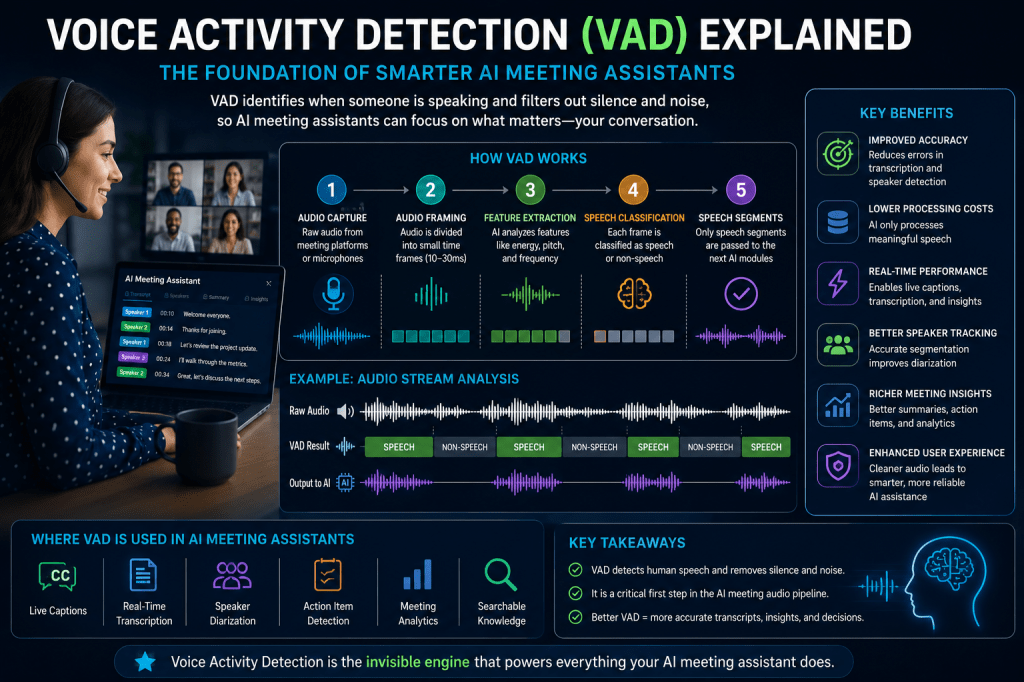
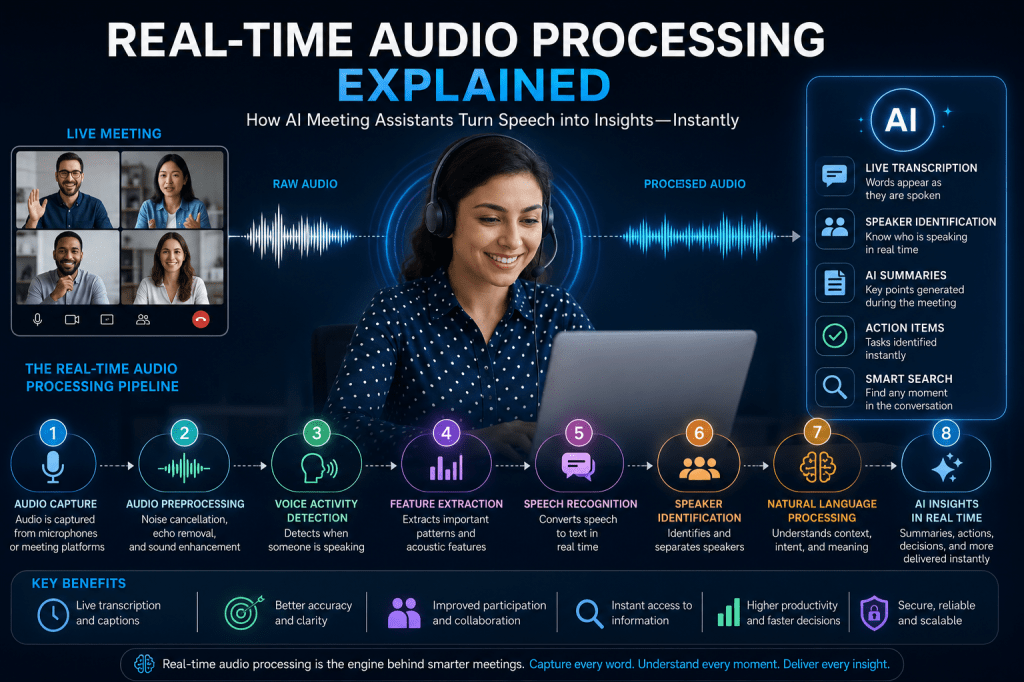
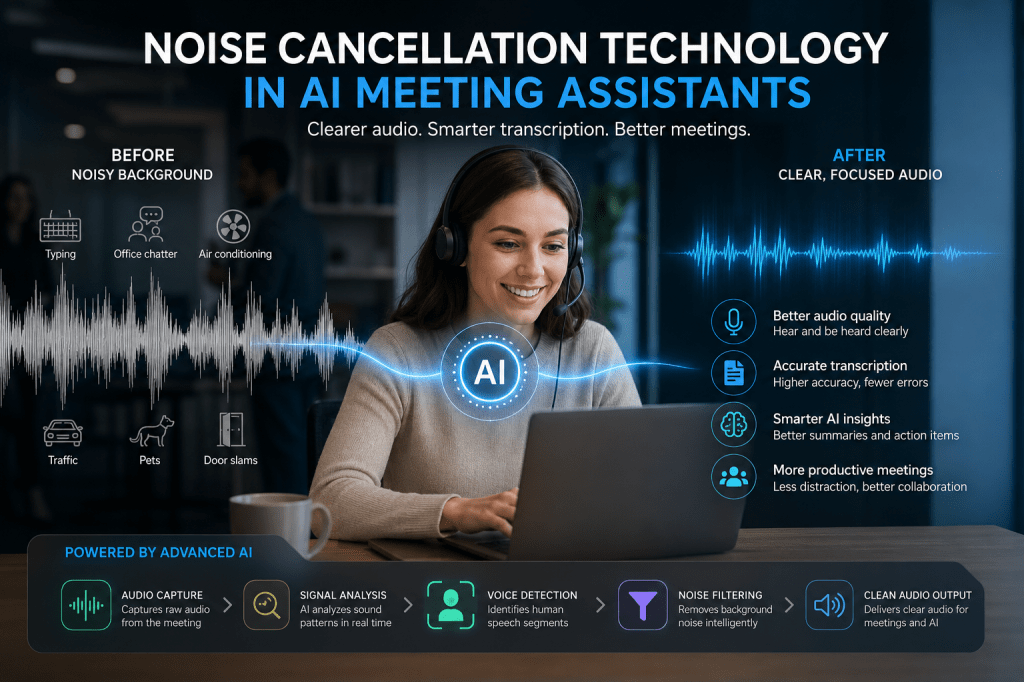
- Audio Processing
- Speech Recognition
- Speaker Identification
- Transcription
- AI Summaries
- Action Items
- Search
- Meeting Intelligence
- Collaboration
- Integrations
- Workflow Automation
- Analytics
- Security
- Knowledge Management
These capabilities have become the standard expectations for organizations evaluating AI meeting software.
Conclusion
The top AI meeting assistants in 2026—Otter AI, Fireflies AI, Fathom, Avoma, and tl;dv—share a common foundation of features designed to eliminate manual note-taking and transform meetings into searchable, actionable business knowledge.
Automatic recording, transcription, speaker identification, summaries, action item extraction, integrations, and meeting intelligence are now standard capabilities across the market. While individual vendors differentiate themselves through pricing, integrations, sales workflows, collaboration tools, or multilingual support, the core functionality remains largely consistent.
For most organizations, the choice is no longer whether to use an AI meeting assistant, but which platform best fits their workflow, collaboration style, and business requirements.

 Meeting Notes AI