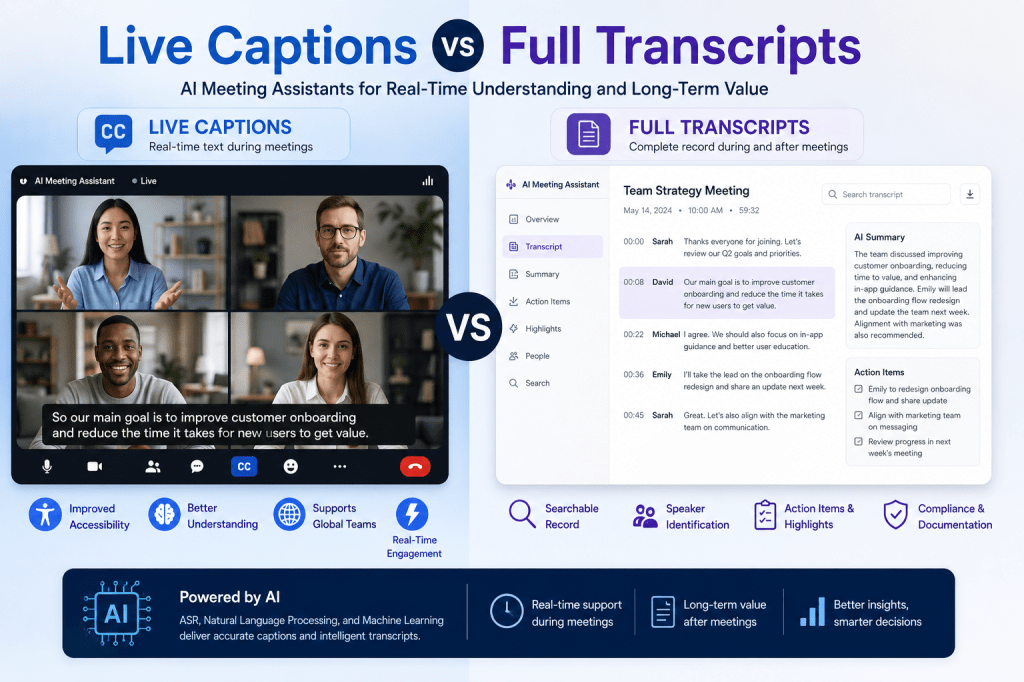
AI meeting assistants have transformed how organizations capture, understand, and manage meeting information. Among the most valuable features offered by modern platforms are live captions and full transcripts. While both are powered by speech recognition technology and convert spoken words into text, they serve different purposes and provide unique benefits.
Understanding the differences between live captions and full transcripts can help organizations choose the right tools for accessibility, collaboration, compliance, and productivity.
What Are Live Captions?
Live captions are real-time text representations of spoken conversations displayed during a meeting. As participants speak, the AI meeting assistant converts speech into text almost instantly and presents it on screen.
Live captions are commonly used in:
- Virtual meetings
- Webinars
- Training sessions
- Presentations
- International collaboration
- Accessibility support
The primary goal of live captions is to help participants follow conversations as they happen.
Benefits of Live Captions
Improved Accessibility
Live captions make meetings more accessible for individuals who are deaf or hard of hearing. They also support participants with auditory processing challenges.
Better Understanding
Participants can read along while listening, which improves comprehension, especially when discussing technical topics or complex information.
Support for Non-Native Speakers
Global teams often include participants who speak different native languages. Live captions help non-native speakers follow conversations more easily.
Real-Time Clarification
If a participant misses a statement due to poor audio quality or distractions, live captions provide immediate visual reinforcement.
Enhanced Engagement
Attendees can remain more engaged because they have both audio and visual communication channels available.
What Are Full Transcripts?
A full transcript is a complete written record of a meeting generated by an AI meeting assistant. Unlike live captions, transcripts are typically available during and after the meeting and provide a permanent record of everything discussed.
Modern AI meeting assistants often enhance transcripts with:
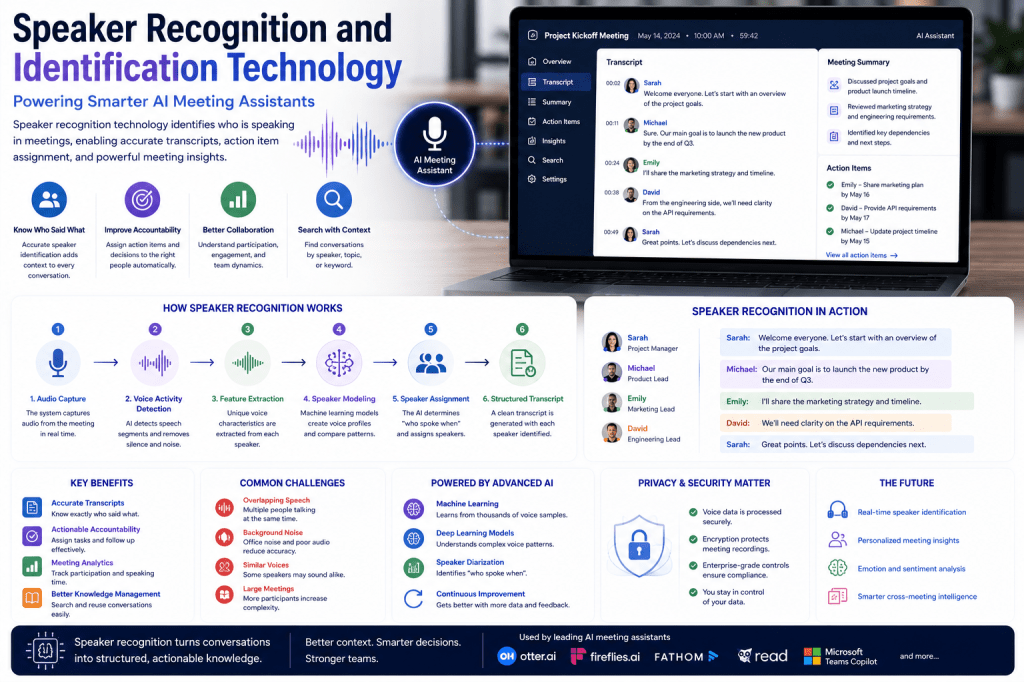
- Speaker identification
- Timestamps
- Search functionality
- Action item extraction
- Topic detection
- AI-generated summaries
Full transcripts become part of an organization’s knowledge base and can be referenced long after the meeting ends.
Benefits of Full Transcripts
Complete Documentation
Every discussion, decision, and conversation is preserved for future reference.
Searchability
Teams can search transcripts to locate specific topics, keywords, decisions, or commitments without replaying recordings.
Accountability
Transcripts provide a reliable record of who said what and when it was discussed.
Knowledge Management
Organizations can store transcripts to build searchable knowledge repositories that preserve institutional knowledge.
Compliance and Record Keeping
Many industries require documentation of meetings, discussions, and decision-making processes. Full transcripts support these compliance needs.
Key Differences Between Live Captions and Full Transcripts
| Feature | Live Captions | Full Transcripts |
|---|---|---|
| Timing | Real-time | During and after meeting |
| Purpose | Immediate understanding | Long-term documentation |
| Accessibility | Excellent | Good |
| Searchability | Limited | Extensive |
| Record Keeping | No | Yes |
| Knowledge Management | Minimal | Excellent |
| Compliance Support | Limited | Strong |
| Action Item Extraction | Rare | Common |
| Speaker Identification | Limited | Advanced |
| Historical Reference | No | Yes |
Accuracy Considerations
Both live captions and full transcripts rely on Automatic Speech Recognition (ASR) systems.
However, live captions prioritize speed over perfection.
To display text instantly, AI systems have limited time to analyze context, punctuation, grammar, and speaker transitions.
Full transcripts often achieve higher accuracy because AI meeting assistants can perform additional post-processing steps, including:
- Context analysis
- Speaker diarization
- Language model corrections
- Technical terminology recognition
- Punctuation restoration
- Formatting improvements
As a result, finalized transcripts are typically more accurate than real-time captions.
When Live Captions Are Most Useful
Live captions are particularly valuable during:
Large Meetings
Participants can follow discussions even when audio quality varies.
International Collaboration
Global teams benefit when participants can both hear and read conversations.
Training Sessions
Captions reinforce learning by combining spoken and written information.
Accessibility Requirements
Organizations that prioritize accessibility often rely heavily on live captioning.
Fast-Paced Discussions
Captions help participants avoid missing important information during rapid conversations.
When Full Transcripts Are Most Useful
Full transcripts provide greater value when organizations need long-term information management.
Project Meetings
Teams can revisit decisions, action items, and discussions later.
Sales Calls
Sales teams can review customer conversations and identify follow-up opportunities.
Client Meetings
Transcripts create a documented history of agreements and commitments.
Legal and Compliance Environments
Accurate records help satisfy documentation requirements.
Knowledge Sharing
Organizations can preserve valuable insights and make them searchable across teams.
How Modern AI Meeting Assistants Use Both
The most advanced AI meeting assistants combine live captions and full transcripts into a unified workflow.
The process typically follows these steps:
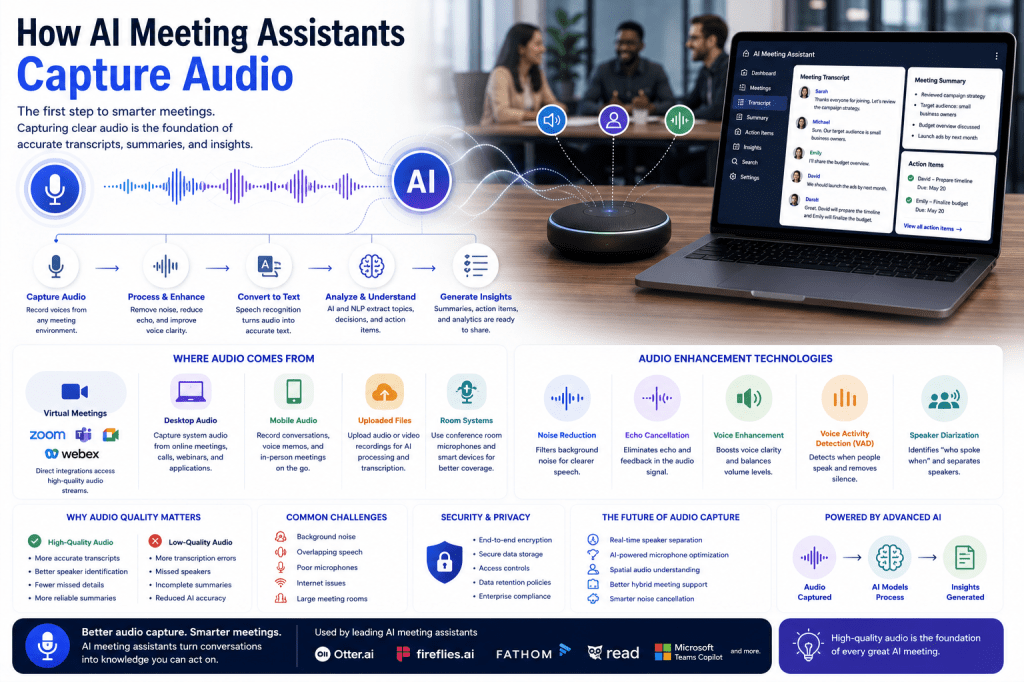
- Capture meeting audio.
- Generate live captions during the meeting.
- Record and store the conversation.
- Create a full transcript.
- Identify speakers.
- Extract action items.
- Generate summaries.
- Create searchable meeting records.
This approach provides both real-time assistance and long-term value.
Which Feature Is More Important?
The answer depends on the organization’s goals.
If the primary objective is accessibility and real-time understanding, live captions may be the most important feature.
If the goal is documentation, knowledge management, compliance, and meeting intelligence, full transcripts provide substantially greater value.
In reality, most organizations benefit from using both.
Live captions improve meeting participation, while full transcripts support productivity after the meeting ends.
The Future of AI Meeting Documentation
As speech recognition and large language models continue to improve, the distinction between live captions and transcripts will become less significant.
Future AI meeting assistants are expected to provide:
- Near-perfect real-time captions
- Live summaries during meetings
- Real-time action item detection
- Multilingual captioning
- Instant meeting intelligence
- Context-aware transcription
These capabilities will make meetings more accessible, productive, and searchable than ever before.
Conclusion
Live captions and full transcripts serve complementary roles within AI meeting assistants. Live captions enhance accessibility, comprehension, and real-time engagement, while full transcripts provide searchable records, documentation, compliance support, and long-term knowledge management. Organizations that leverage both capabilities gain the greatest value from their AI meeting assistant platforms. As AI technology continues to evolve, live captions and transcripts will become increasingly accurate, intelligent, and essential to modern workplace collaboration.

 Meeting Notes AI