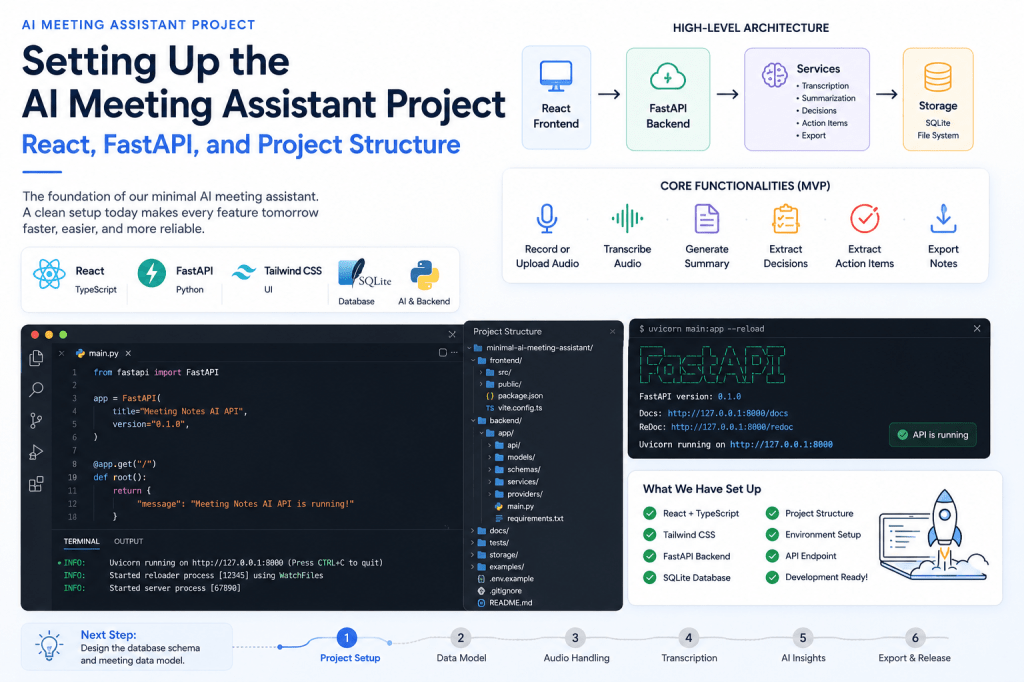
In the previous article, we defined the scope, architecture, and development roadmap for our minimal AI Meeting Assistant. The goal is to build a simple application that focuses on the essential capabilities of modern AI meeting assistants: audio capture, transcription, meeting summaries, decision extraction, action items, and note exports.
Now it is time to move from planning to implementation.
In this article, we will create the project repository, select the technology stack, establish the folder structure, and build the initial frontend and backend applications that will serve as the foundation for the entire project.
By the end of this article, we will have a running React frontend, a FastAPI backend, and a clean project structure ready for future development.
Project Objectives
Before writing code, let’s review what we are trying to achieve.
The application should eventually support:
- Meeting creation
- Audio recording
- Audio uploads
- Speech-to-text transcription
- AI summaries
- Decision extraction
- Action item extraction
- Meeting exports
To make future development easier, we want a modular architecture that allows us to build each component independently.
Choosing the Technology Stack
Many technology combinations could work for this project. The stack selected should balance simplicity, maintainability, and AI ecosystem support.
Frontend
We will use:
ReactTypeScriptTailwind CSS
Why React?
- Large ecosystem
- Component-based architecture
- Easy integration with REST APIs
- Familiar to many developers
- Excellent TypeScript support
TypeScript provides better maintainability as the project grows.
Backend
We will use:
PythonFastAPI
FastAPI has become one of the most popular frameworks for AI applications because it provides:
- Excellent performance
- Automatic API documentation
- Strong typing
- Easy validation
- Native async support
Most speech-processing and AI libraries are also Python-first.
Database
Initially we will use:
SQLite
SQLite is lightweight, requires no server setup, and is perfectly suitable for the first version of the application.
We can migrate to PostgreSQL later if needed.
AI Components
Future articles will introduce:
Whisper-compatible transcriptionLarge Language ModelsFFmpeg
For now, we will focus only on application setup.
Creating the GitHub Repository
Create a new repository.
Suggested repository name:
minimal-ai-meeting-assistant
Alternative names:
meeting-notes-aiopen-meeting-assistantmeetingnotesai
Initialize the repository with:
git initgit branch -M main
Create a README file.
touch README.md
Create an MIT License.
touch LICENSE
The code repository is available on GitHub here minimal-ai-meeting-assistant
For code editor I am using Visual Studio Code
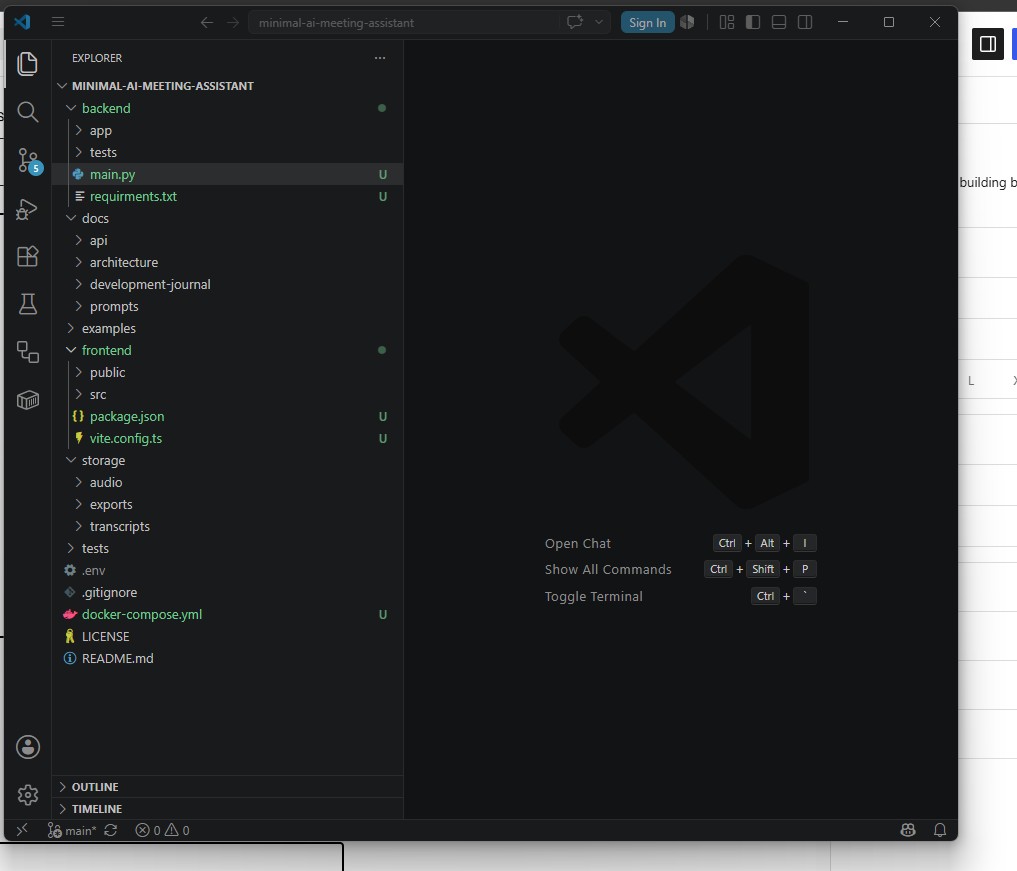
Designing the Project Structure
One of the most important early decisions is folder organization.
Our project structure will look like this:
minimal-ai-meeting-assistant/│├── frontend/├── backend/├── docs/├── tests/├── storage/├── examples/│├── docker-compose.yml├── .env.example├── README.md└── LICENSE
Each folder has a specific purpose.
Frontend
Contains the React application.
frontend/├── src/├── public/├── package.json└── vite.config.ts
Backend
Contains the FastAPI application.
backend/├── app/├── tests/├── requirements.txt└── main.py
Docs
Contains project documentation.
docs/├── architecture/├── development-journal/├── api/└── prompts/
Storage
Stores uploaded files.
storage/├── audio/├── transcripts/└── exports/
Keeping uploads separate from source code simplifies deployment and backups.
Creating the React Frontend
We will use Vite because it is fast and lightweight.
Create the frontend.
npm create vite@latest frontend -- --template react-ts
Install dependencies.
cd frontendnpm installnpm install tailwindcss @tailwindcss/vite
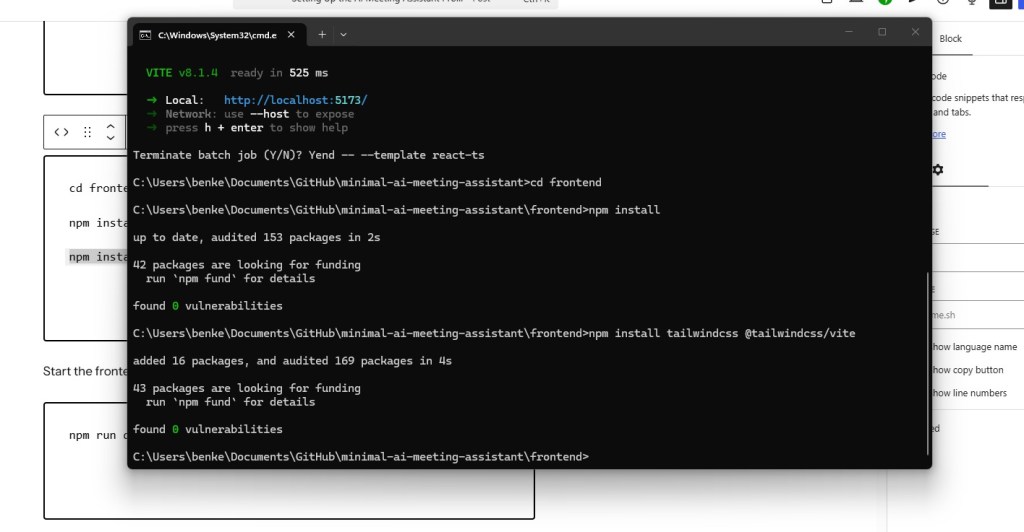
Start the frontend.
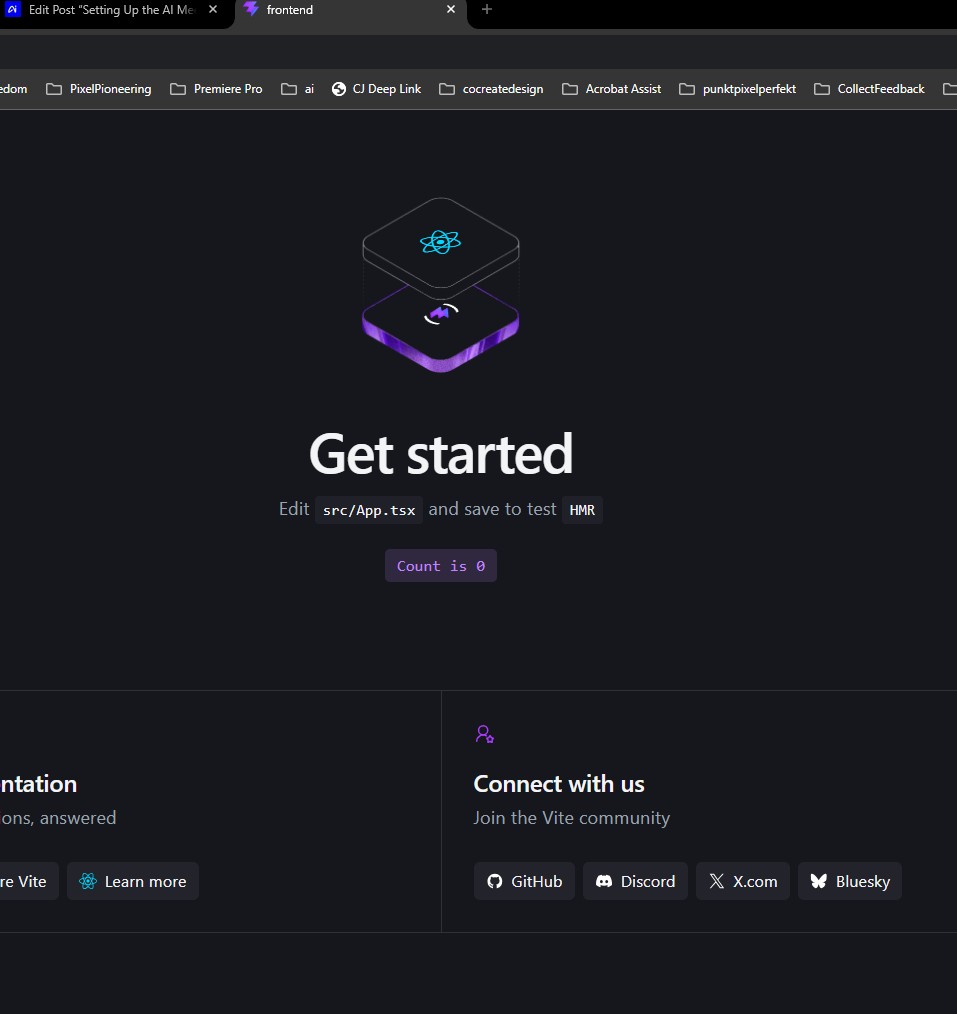
npm run dev
You should now see:
http://localhost:5173
Open the browser and verify the default React application loads successfully.
Installing Tailwind CSS
Tailwind helps us rapidly build clean interfaces.
Install Tailwind.
npm install tailwindcss @tailwindcss/vite
Update the Vite configuration.
import { defineConfig } from 'vite'import react from '@vitejs/plugin-react'import tailwindcss from '@tailwindcss/vite'export default defineConfig({ plugins: [ react(), tailwindcss(), ],})
Update your CSS file.
@import "tailwindcss";
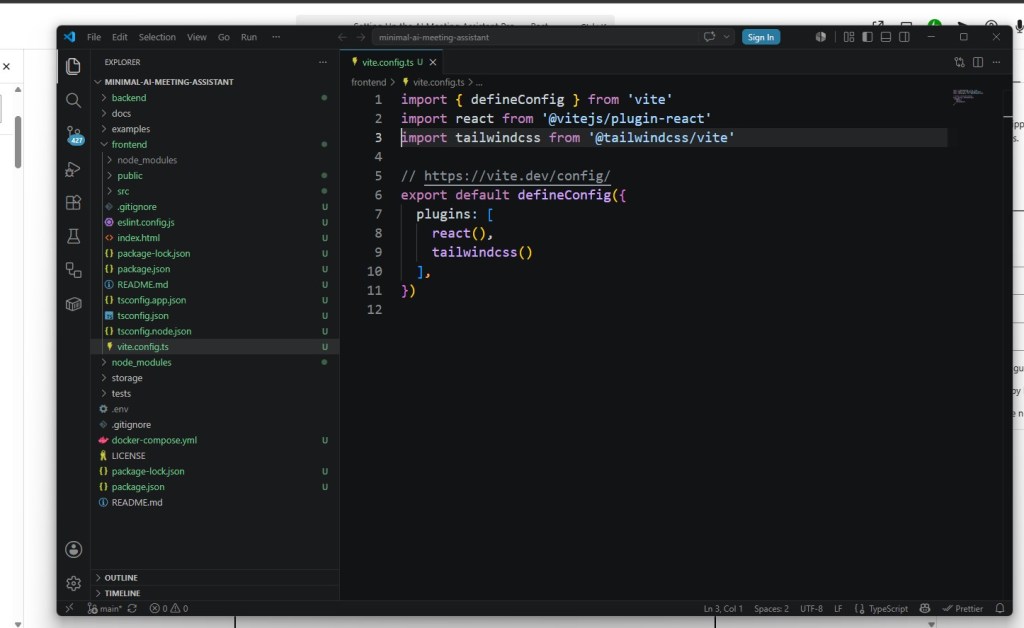
Verify Tailwind is working by applying utility classes to the default page.
Creating the FastAPI Backend
Move back to the root folder.
Create the backend.
mkdir backendcd backend
Create a virtual environment.
python -m venv venv
Activate it.
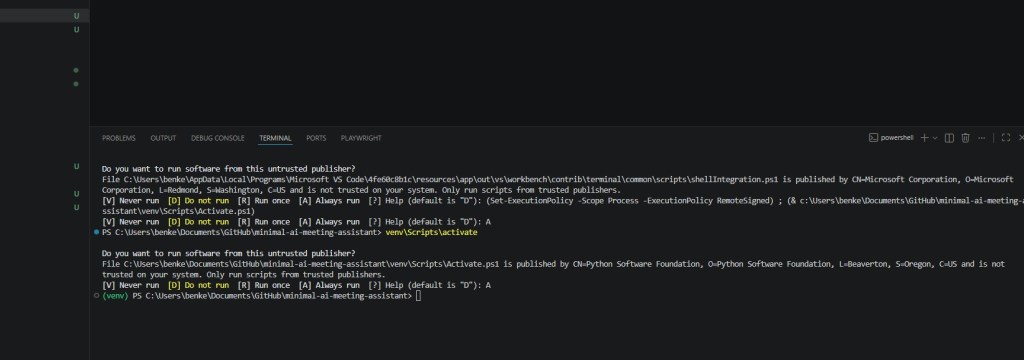
Windows:
venv\Scripts\activate
Mac/Linux:
source venv/bin/activate
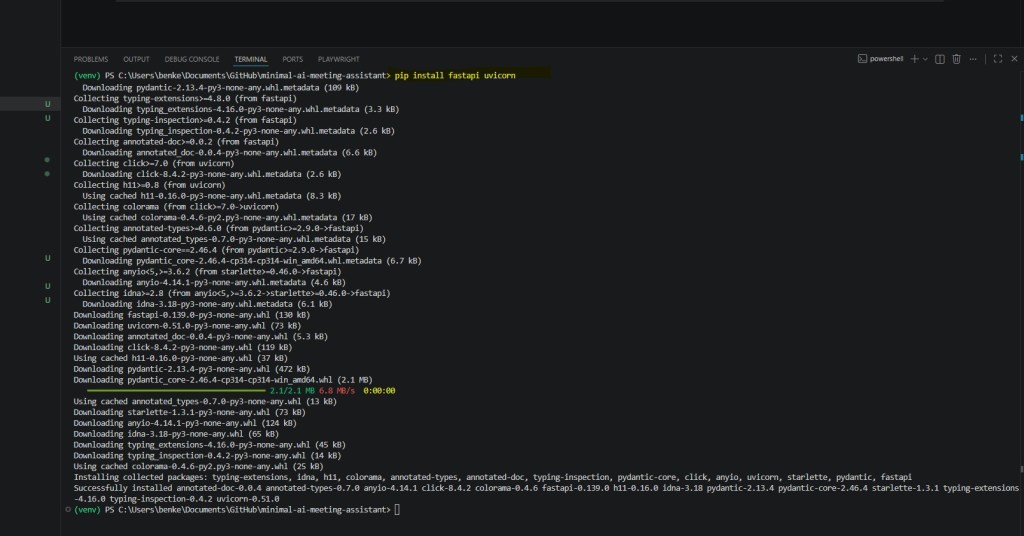
Install dependencies.
pip install fastapi uvicorn
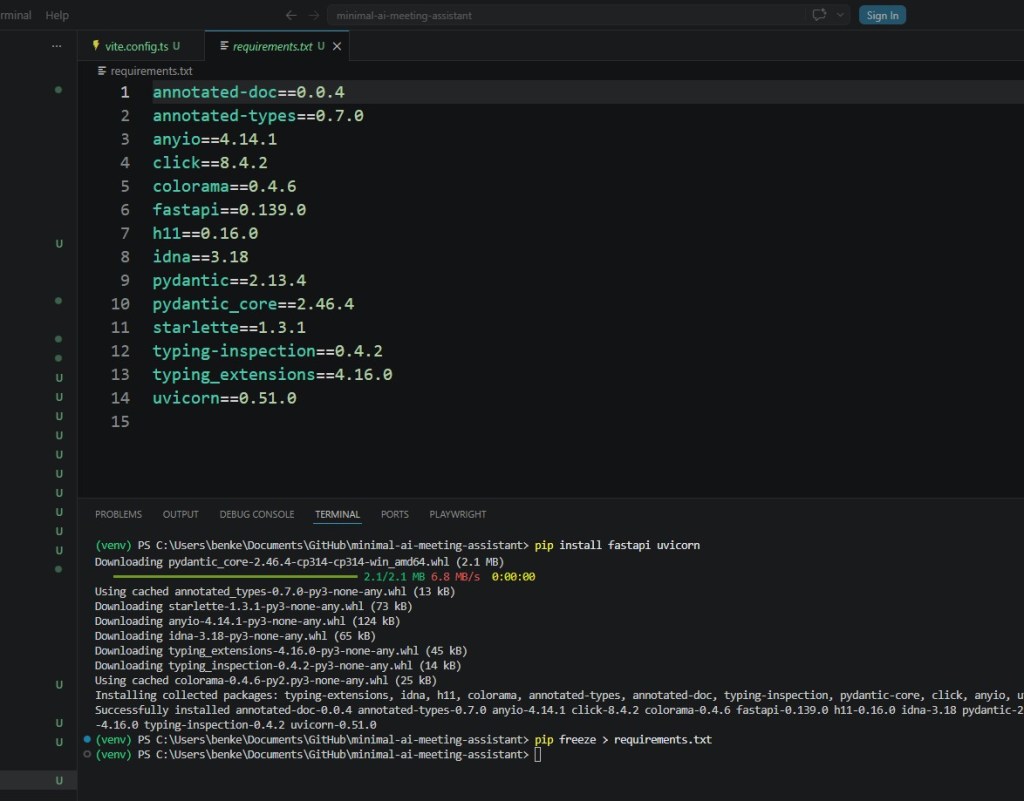
Create requirements.txt.
pip freeze > requirements.txt
Creating the Application Structure
Create the application folders.
backend/│├── app/│ ├── api/│ ├── models/│ ├── schemas/│ ├── services/│ └── providers/│├── tests/├── main.py└── requirements.txt
This structure will help keep the code organized as more functionality is added.
Creating the First API Endpoint
Create:
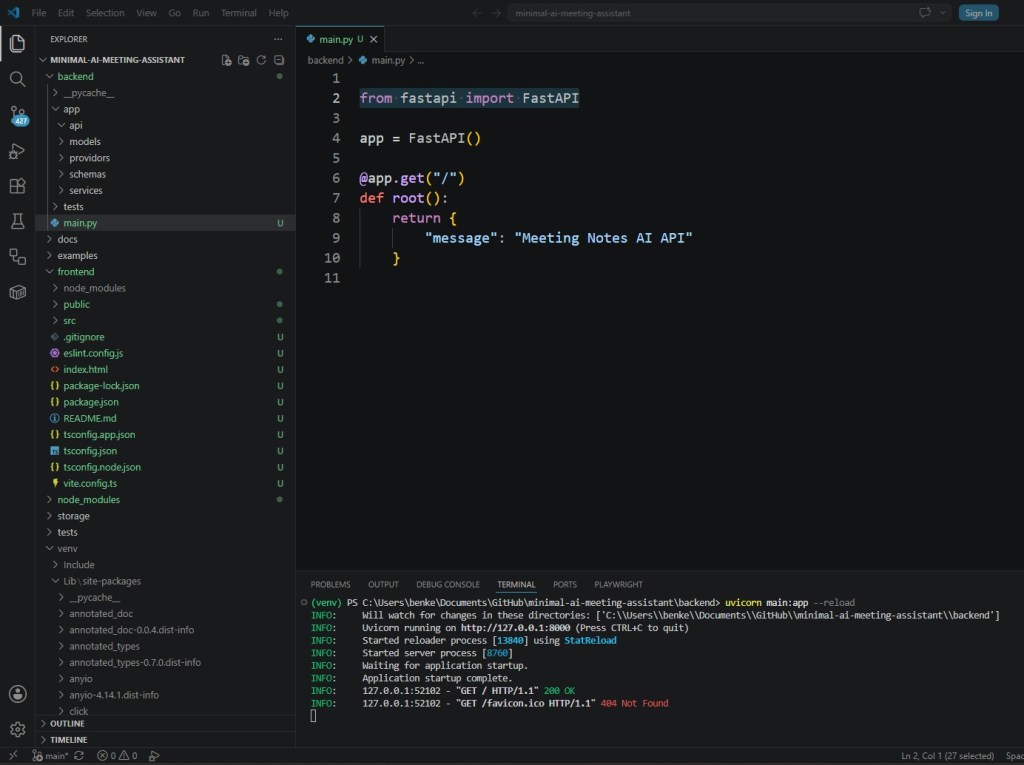
backend/main.py
Add:
from fastapi import FastAPIapp = FastAPI()app.get("/")def root(): return { "message": "Meeting Notes AI API" }
Run the server.
uvicorn main:app --reload
Open:
http://localhost:8000
You should see:
{ "message": "Meeting Notes AI API"}
Exploring Automatic API Documentation
One of FastAPI’s biggest advantages is automatic documentation.
Visit:
http://localhost:8000/docs
FastAPI automatically generates Swagger documentation.
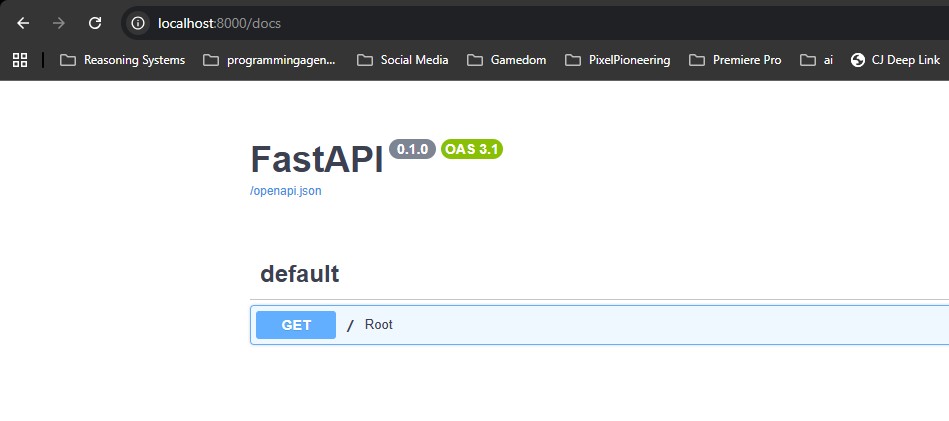
This will become extremely useful as we add more endpoints.
Adding Environment Variables
Create:
.env.example
Example:
APP_NAME=Meeting Notes AIDATABASE_URL=sqlite:///meetingnotes.dbOPENAI_API_KEY=
Never commit real API keys.
Instead:
.env
should be added to:
.gitignore
Creating the First Frontend Page
Replace the default React component.
function App() { return ( <div className="min-h-screen p-10"> <h1 className="text-4xl font-bold"> Meeting Notes AI </h1> <p className="mt-4"> Building a minimal AI Meeting Assistant. </p> </div> );}export default App;
Run:
npm run dev
The browser should display the project title.
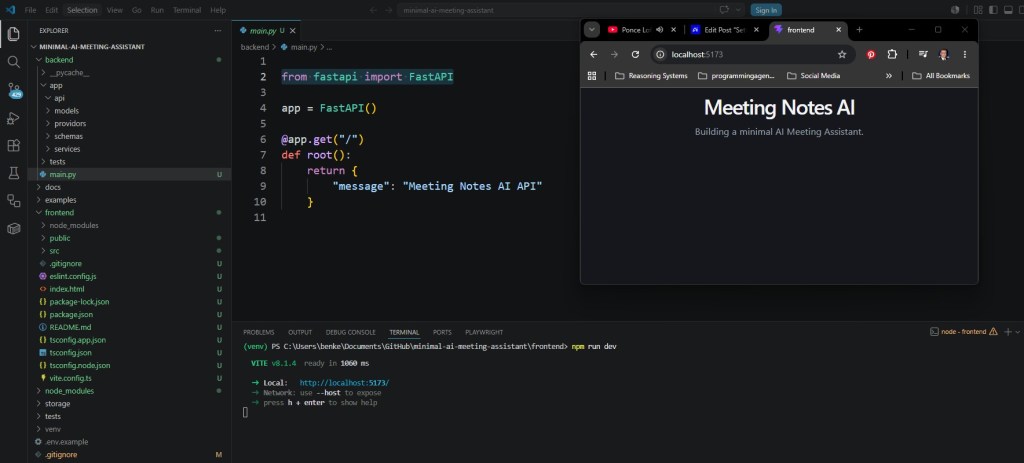
Not exciting yet, but we now have a functioning frontend application.
Planning Future Services
Although we will not implement them yet, we should define the services that will eventually power the application.
Meeting Service
Responsible for:
- Create meeting
- Delete meeting
- List meetings
- Update meeting
Audio Service
Responsible for:
- Upload files
- Validate audio
- Store recordings
Transcription Service
Responsible for:
- Speech-to-text conversion
- Segment timestamps
Summary Service
Responsible for:
- Meeting summaries
- Key points
- Decisions
- Open questions
Action Item Service
Responsible for:
- Task extraction
- Ownership detection
- Deadline detection
Export Service
Responsible for:
- Markdown exports
- JSON exports
- Plain text exports
Defining these boundaries early will make future development cleaner.
Testing the Foundation
At this stage verify:
Frontend
✓ React loads✓ TypeScript compiles✓ Tailwind works
Backend
✓ FastAPI starts✓ API endpoint works✓ Swagger documentation loads
Repository
✓ Git initialized✓ README created✓ License added✓ Environment file created
If everything works, we are ready for the next development phase.
Challenges Encountered
Even a simple project setup involves decisions.
Some of the questions considered during setup include:
- React versus Vue?
- FastAPI versus Node.js?
- SQLite versus PostgreSQL?
- Local transcription versus cloud APIs?
- Monorepo versus multiple repositories?
There are no universally correct answers.
The chosen architecture prioritizes simplicity and educational value over maximum scalability.
What Comes Next?
With the foundation complete, we can begin implementing the first real feature.
The next article will focus on designing the database schema and meeting data model that will support meetings, transcripts, summaries, decisions, and action items.
Everything that follows will depend on this data model, making it one of the most important architectural decisions in the entire project.
Conclusion
Every successful software project starts with a solid foundation.
In this article we established the initial architecture for our AI Meeting Assistant by creating the GitHub repository, setting up a React frontend, configuring a FastAPI backend, and organizing the project structure.
While the application currently does very little, we now have a clean and scalable starting point for the features that will follow.
In the next article, we will design the database schema and create the core meeting entities that will power the entire application.







 Meeting Notes AI