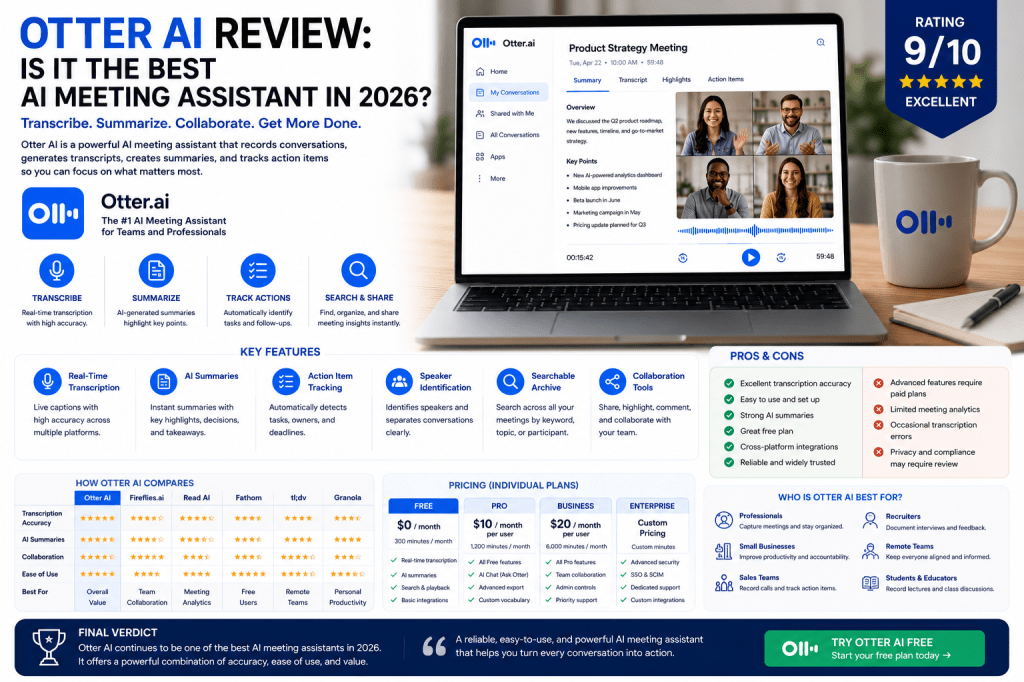
AI meeting assistants have become essential productivity tools for professionals and organizations that spend significant time in meetings. Among the many solutions available today, Otter AI remains one of the most recognized and widely used platforms.
Known for its real-time transcription, automated summaries, and meeting collaboration features, Otter AI has established itself as a leading player in the AI meeting notes market.
But is it still the best option in 2026?
In this review, we’ll examine Otter AI’s features, strengths, limitations, pricing, and ideal use cases to help you decide whether it’s the right solution for your workflow.
What Is Otter AI?
Otter.ai is an AI-powered meeting assistant that automatically records, transcribes, summarizes, and organizes conversations.
The platform is designed to help individuals and teams:
- Capture meetings automatically
- Generate transcripts
- Create summaries
- Identify action items
- Search meeting history
- Collaborate on meeting notes
Otter AI works across virtual meetings, interviews, lectures, team discussions, and other spoken conversations.
Otter AI Key Features
Real-Time Transcription
One of Otter AI’s strongest features is live transcription.
As participants speak, Otter converts conversations into searchable text in real time.
Benefits include:
- Immediate note access
- Easier meeting participation
- Better accessibility
- Faster documentation
AI Meeting Summaries
After meetings, Otter automatically generates summaries highlighting:
- Key discussion points
- Decisions
- Action items
- Important topics
This allows users to review meeting outcomes quickly without reading entire transcripts.
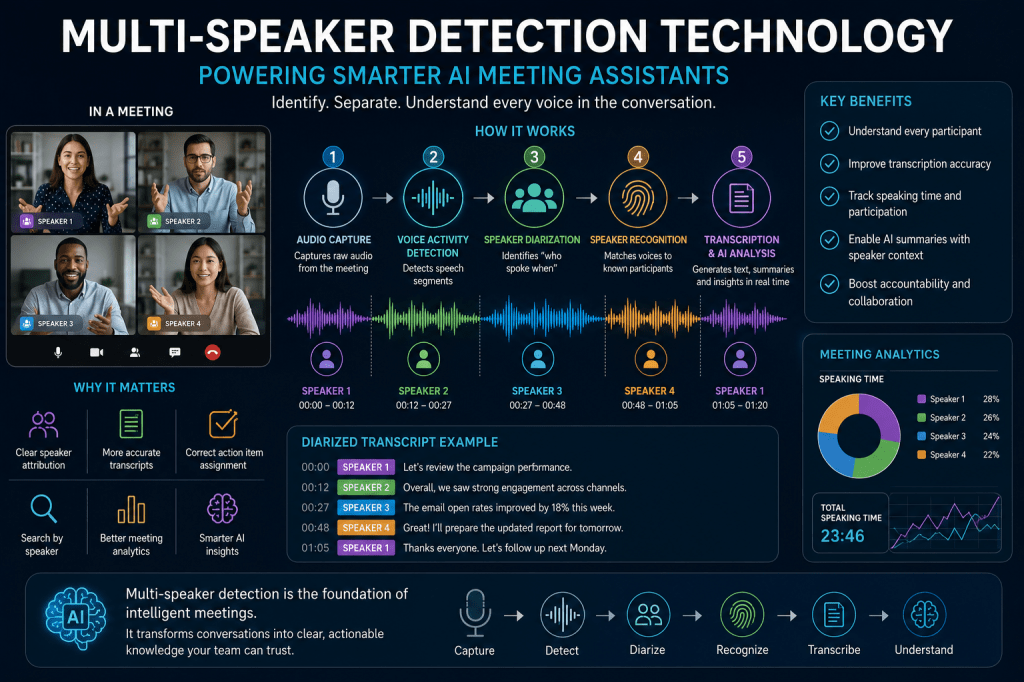
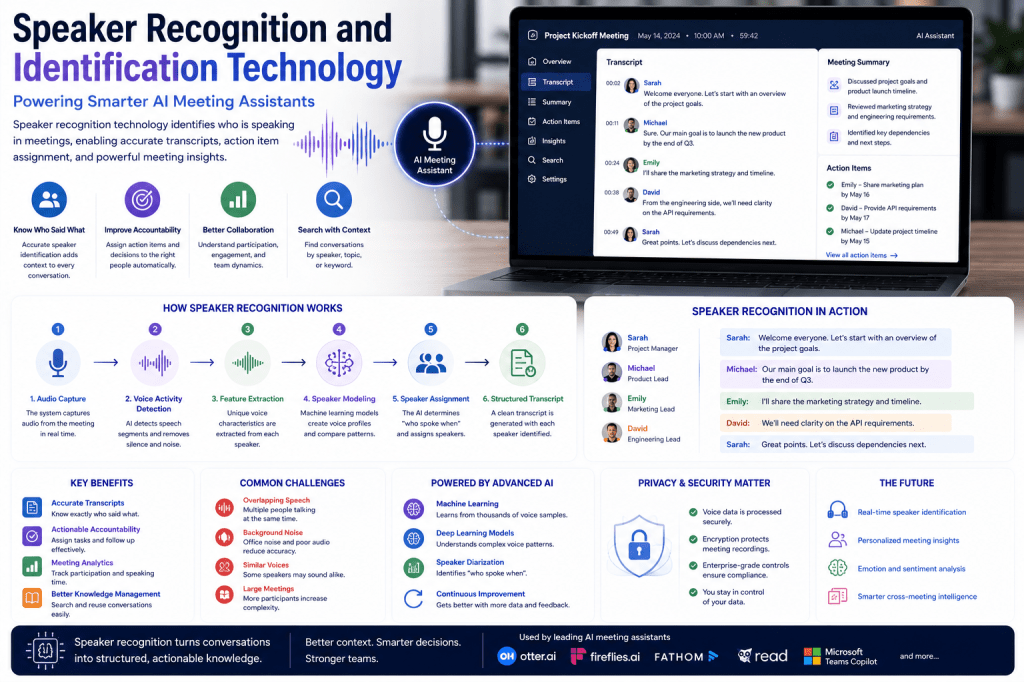
Speaker Identification
Otter attempts to identify and separate speakers throughout a conversation.
This makes transcripts easier to follow and improves accountability.
Searchable Meeting Archive
Every recorded meeting becomes part of a searchable knowledge base.
Users can search for:
- Keywords
- Topics
- Decisions
- Participants
- Projects
This feature becomes increasingly valuable as meeting volume grows.
Collaboration Tools
Teams can:
- Share transcripts
- Add comments
- Highlight content
- Review meeting notes together
These features support collaborative workflows across organizations.
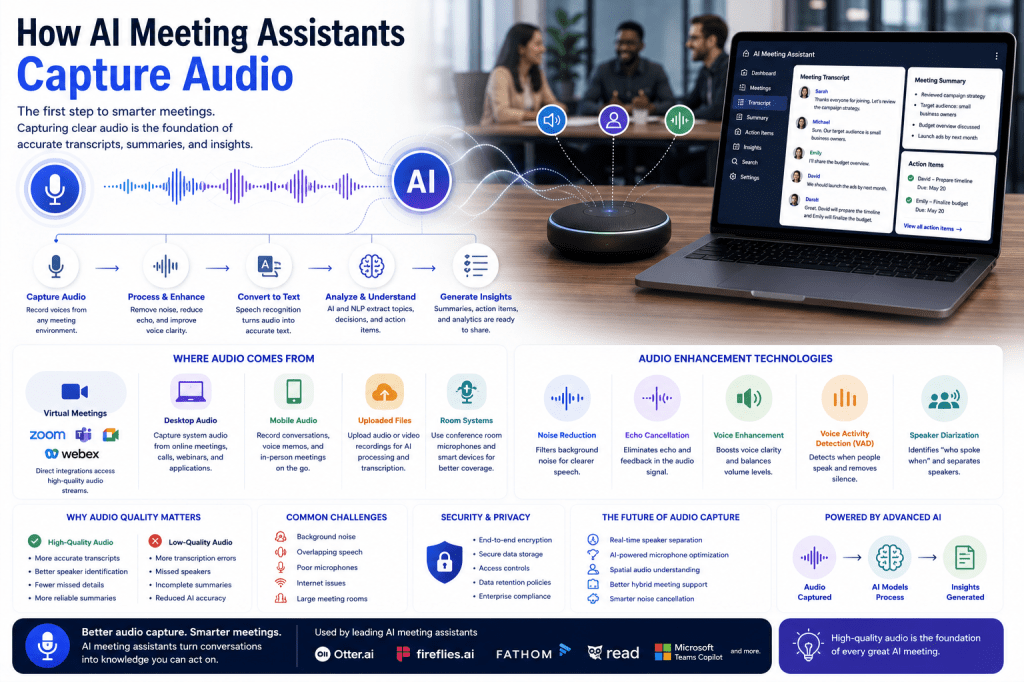
Meeting Integrations
Otter integrates with popular meeting platforms including:
- Zoom
- Google Meet
- Microsoft Teams
This allows meetings to be captured automatically without additional effort.
User Experience
One reason Otter AI remains popular is its ease of use.
The setup process is straightforward.
Most users can:
- Connect meeting platforms
- Join meetings
- Receive transcripts automatically
The interface is clean and intuitive, making it accessible even for non-technical users.
For individuals and small teams, deployment is particularly simple.
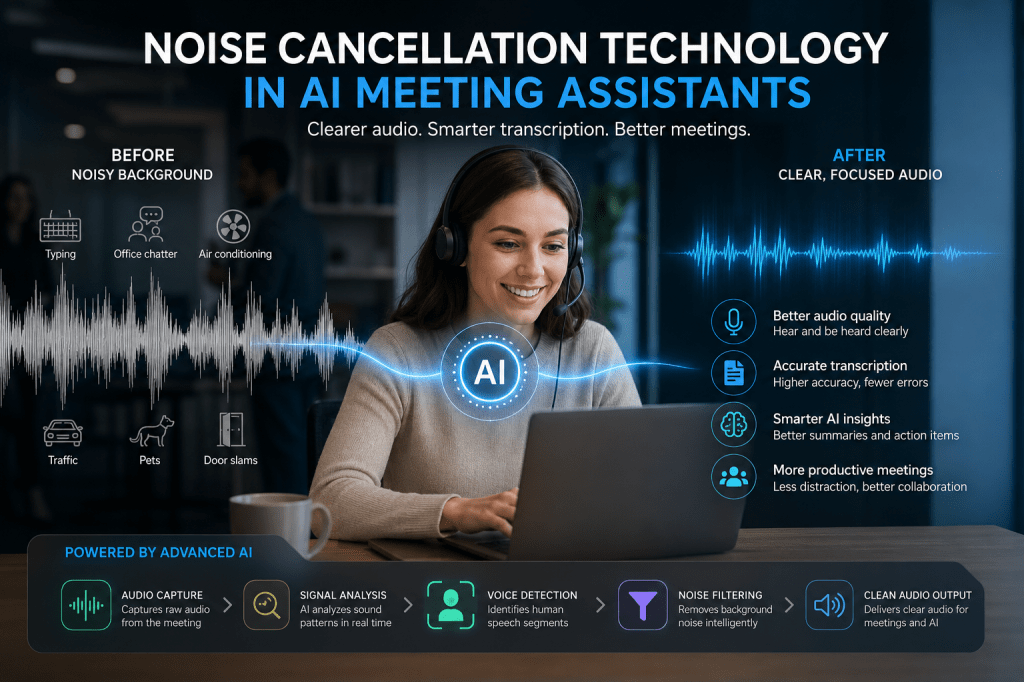
Transcription Accuracy
Transcription quality remains one of Otter AI’s biggest strengths.
Under good audio conditions, accuracy is generally very high.
Results are strongest when:
- Audio quality is clear
- Background noise is limited
- Speakers avoid talking simultaneously
Like all transcription systems, Otter may occasionally struggle with:
- Strong accents
- Industry-specific terminology
- Cross-talk
- Poor audio quality
However, for typical business meetings, performance is excellent.
AI Summaries and Action Items
Otter’s AI-generated summaries continue to improve.
The platform effectively identifies:
- Key discussion topics
- Follow-up actions
- Meeting outcomes
This significantly reduces the need for manual note-taking.
Many users find summaries accurate enough to replace traditional meeting recap documents.
Otter AI for Teams
Otter works particularly well for:
Small Businesses
Reduce administrative work and improve documentation.
Sales Teams
Capture customer conversations and commitments.
Consultants
Maintain detailed client records.
Recruiters
Document interviews and candidate discussions.
Remote Teams
Provide searchable meeting records for distributed employees.
Executives
Review summaries without attending every meeting.
Otter AI Pricing
Otter AI offers multiple plans designed for different types of users.
Typical options include:
- Free plan
- Individual plans
- Business plans
- Enterprise plans
The free version provides a useful introduction to the platform, while paid tiers unlock additional meeting hours, advanced features, and team functionality.
Before purchasing, compare available plans against your meeting volume and collaboration needs.
Otter AI Pros
Excellent Transcription Quality
One of the strongest transcription engines available.
Easy to Use
Minimal setup and intuitive workflows.
Strong AI Summaries
Helps users review meetings quickly.
Searchable Knowledge Base
Makes historical meeting information easy to retrieve.
Reliable Platform
Mature product with broad adoption.
Good Free Plan
Allows users to test the platform before upgrading.
Otter AI Cons
Subscription Costs
Advanced features require paid plans.
Limited Deep Analytics
Competitors such as Read AI provide more meeting intelligence features.
Occasional Transcription Errors
No AI transcription system is perfect.
Privacy Considerations
Organizations should review security and compliance requirements before deployment.
Otter AI vs Competitors
Otter AI vs Fireflies.ai
Otter focuses on simplicity and transcription quality, while Fireflies offers stronger automation and integrations.
Otter AI vs Read AI
Read AI provides more analytics and meeting intelligence features.
Otter AI vs Fathom
Fathom offers an excellent free experience, while Otter remains more established and feature-rich.
Otter AI vs tl;dv
tl;dv places greater emphasis on remote collaboration and knowledge sharing.
Who Should Use Otter AI?
Otter AI is ideal for:
- Professionals
- Consultants
- Small businesses
- Sales teams
- Recruiters
- Students
- Remote workers
Organizations seeking a reliable, easy-to-use AI meeting assistant will likely find Otter AI an excellent fit.
Who Might Prefer Alternatives?
Consider alternatives if you need:
- Advanced meeting analytics
- Extensive workflow automation
- Deep CRM integrations
- Specialized enterprise requirements
In these cases, competitors such as Fireflies.ai or Read AI may offer additional functionality.
Frequently Asked Questions
Is Otter AI worth paying for?
For users who attend frequent meetings, the productivity benefits often justify the subscription cost.
Is Otter AI accurate?
Yes. Under good audio conditions, Otter AI provides highly accurate transcription and summaries.
Does Otter AI work with Zoom?
Yes. Otter AI integrates with Zoom, Google Meet, and Microsoft Teams.
Can Otter AI identify action items?
Yes. The platform automatically detects many tasks and follow-up actions discussed during meetings.
Is Otter AI good for teams?
Absolutely. Otter supports collaboration, shared notes, and searchable meeting archives.
Final Verdict
Otter AI remains one of the best AI meeting assistants available in 2026.
Its combination of transcription accuracy, ease of use, strong summaries, collaboration features, and broad platform support make it an excellent choice for individuals and organizations alike.
While some competitors offer stronger analytics or automation, Otter AI continues to deliver one of the most balanced and user-friendly meeting assistant experiences on the market.
Rating: 9/10
Best For: Professionals, small businesses, consultants, recruiters, and teams looking for reliable AI-powered meeting documentation.
Related Articles
What Is an AI Meeting Assistant?
Best AI Meeting Assistants in 2026
Best AI Meeting Notes Tools in 2026
Fireflies.ai Review
Read AI Review
Fathom Review
AI Meeting Notes for Small Businesses
AI Meeting Notes for Remote Teams
AI Meeting Notes Privacy Guide

 Meeting Notes AI